Protect Your Brand from Amazon Warehouse Deals and Reclaim Lost Revenue

Written by

Cosmy
AI-driven eCommerce Optimization
Ever seen one of your products on Amazon at a strangely low price, sold by "Amazon Warehouse"? If so, you've found a part of Amazon's system that can directly impact your sales and brand reputation.
These aren't rogue sellers. Amazon Warehouse is the official channel where Amazon resells returned, open-box, or slightly used items at a discount. For brands, this can mean lost sales, a damaged reputation, and interference with your pricing strategy, all happening without your direct input.
What Are Amazon Warehouse Deals and How Do They Work?
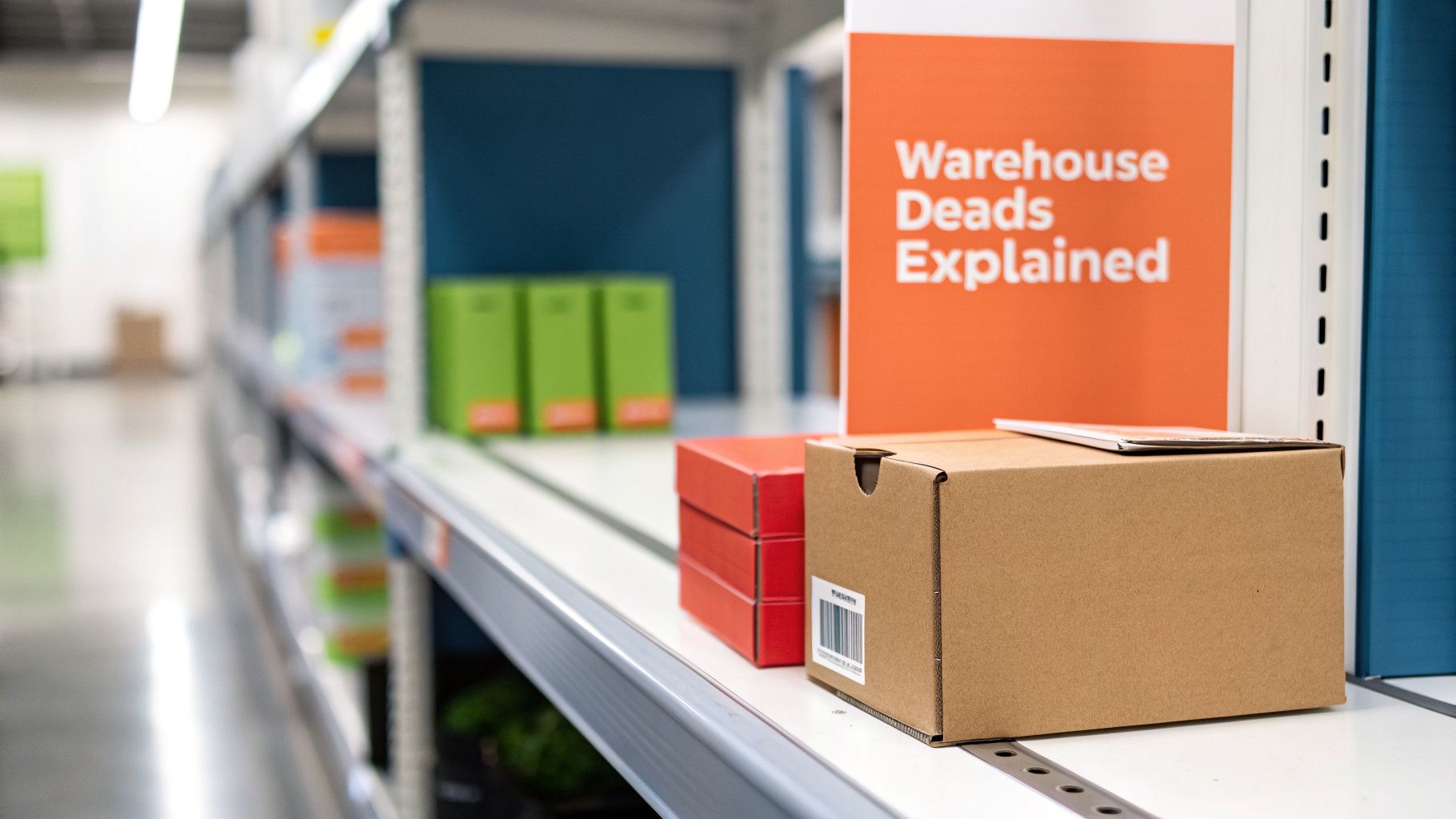
Think of Amazon Warehouse as the company's solution for managing the constant stream of customer returns. It's how Amazon recovers some cost on products that can no longer be sold as "new" but are still functional. You can't send a cease-and-desist letter to this seller; this is Amazon itself.
The process begins the moment a customer returns an item. Instead of the product going back into your sellable FBA inventory, it is diverted to a different process within the fulfillment center.
The Journey of a Returned Product
The life of an Amazon Warehouse Deal item starts when a customer initiates a return. Here’s the typical path:
Customer Return: A customer sends your product back. The reason could be anything from ordering the wrong size to a dented box during shipping, or simply changing their mind. It might also be a genuine defect.
Warehouse Inspection: The item arrives at an Amazon facility where an employee performs a manual inspection. They check its physical condition, confirm it works, and assess the state of the packaging.
Condition Grading: Based on this brief check, the product is assigned a condition, such as 'Used - Like New' or 'Used - Acceptable'. This grade determines the discount offered.
Relisting: If the item passes inspection, Amazon creates a new offer for it. It gets listed under the "Amazon Warehouse" seller account and appears on your original product page as a "Used" offer, often competing directly for the Buy Box against your "New" products.
This entire process is a key part of Amazon's massive logistics operation. With a global network of fulfillment centers, this is how they handle the complex challenge of returns. The scale is immense, especially considering Amazon's continuous expansion, such as its plan to invest $26 billion in India through 2030, detailed in Amazon's global investment strategy. Every returned item must be processed.
A common misconception is that Warehouse Deals are only broken items. In reality, a large portion of these products have only damaged packaging or minor cosmetic scuffs that don't affect their function.
Why This Matters for Your Brand
This secondary sales channel has a direct, and often negative, impact on your business. A simple, no-fault return can set off a chain reaction that ends with Amazon undercutting your own price on your own listing.
For example, a customer orders your premium headphones. They open the box, try them on, and decide the fit isn't right, so they send them back. The headphones are in perfect condition, but the factory seal is broken. Amazon can no longer sell them as new. So, the item is graded as 'Used - Like New' and relisted by Amazon Warehouse for 20% off.
Now, a price-sensitive shopper looking at your product page sees two options: your new, full-priced item, or the exact same product for 20% less, sold and fulfilled by Amazon. That's a sale you just lost to your own returned inventory. This is why brands must monitor and manage this channel with a clear strategy.
On the surface, Amazon Warehouse Deals seem like a harmless way for Amazon to sell used goods. But for your brand, they can quietly undermine your sales, reputation, and search rankings on your own product pages.
These are not just random used sales. They are active, price-cutting competitors using your own returned products against you. The damage they cause isn't always obvious, but it's real.
The first impact is on your brand perception. Imagine a first-time customer excited to try your product. They see a "20% off" deal from "Amazon Warehouse" and buy it. The product arrives in a damaged box with a torn seal. Even if the item inside is perfect, that initial unboxing experience—a crucial part of your brand promise—is ruined. Their first impression of your brand is now "cheap" or "second-hand."
The Battle for the Buy Box
The most direct financial impact comes from competition for the Amazon Buy Box. That "Add to Cart" button is critical—an estimated 82% of all Amazon sales happen through it. When Amazon Warehouse lists your product, it appears as a new offer competing directly with your brand-new one.
Because the Warehouse Deal is always cheaper, it has a strong chance of winning the Buy Box, especially if Amazon grades it as ‘Used - Like New’.
This means a customer ready to buy your full-price product is instead shown a cheaper, used version as the default choice. Every time this happens, it's a direct loss of revenue, taken by a returned item you may have already lost money on.
Let's use a concrete example. Suppose your premium blender sells for £150. A 'Like New' Warehouse Deal appears for £120. If that £120 offer captures the Buy Box for just one day and sells ten units, you've lost £300 in top-line revenue. That money is replaced by a lower-margin sale that benefits Amazon.
The Unseen SEO Impact
Beyond lost sales, Warehouse Deals can create a slow-moving SEO problem that can harm your product's rank and visibility. This occurs in three main ways:
Diluted Customer Reviews: A customer who buys a Warehouse Deal reviews the same product as someone who bought it new. If they receive a poorly graded or damaged item, their one-star review appears on your main product page. Complaints about "missing parts" or "deep scratches" lower your overall star rating, penalizing your new-condition offer for an issue caused by the Warehouse Deal.
Diverted Sales Velocity: Every sale through a Warehouse Deal is a sale your primary, new-condition product didn't get. Sales velocity—how quickly your product sells—is a key factor in Amazon's ranking algorithm. A stream of returned inventory can siphon off your sales, slow your velocity, and cause your Best Seller Rank (BSR) to drop.
Fragmented Listing Authority: Although the offers appear on one page, they are technically separate. This can confuse Amazon's algorithm, splitting the sales history and "authority" between the new and used offers. This weakens the overall SEO strength of your main product listing.
The scale of this issue can be significant, especially in diverse markets. For instance, the variety of sellers on Amazon India creates a complex environment for managing returns, meaning more potential returns feeding the Warehouse Deals channel.
These listings are not just isolated discounts. They act like parasites on your product pages, quietly draining your revenue, damaging your brand's reputation, and harming the search rankings you worked hard to build.
Building Your Proactive Monitoring and Response Plan
Waiting for a customer to complain about a faulty Amazon Warehouse Deal is a reactive approach. By then, the damage is done—a bad review is posted, your brand's reputation is affected, and you're left trying to fix the problem. A proactive strategy is essential to take control before your returned inventory starts costing you money and customer trust.
The first step is to move beyond occasional manual checks. Searching for your products under the "Amazon Warehouse" seller name is an inefficient way to find these listings and you will likely miss them. By the time you spot one, it could have been live for days, taking sales and potentially the Buy Box. A systematic approach is needed.
Setting Up Your Early Warning System
To be effective, you need to know the moment one of your products is listed on Amazon Warehouse. This means getting immediate alerts, not finding out days later. A smart alert system is your first line of defense.
Here are two practical methods for setting up your monitoring:
Automated Software Alerts: This is the most efficient method. Use a third-party brand monitoring tool that automatically scans Amazon for new offers on your ASINs. You can configure these services to send an instant email or notification the moment "Amazon Warehouse" appears as a seller.
Price Tracking Tool Alerts: For a more hands-on but still effective method, price tracking tools can be set up to watch for new sellers. You can use these services to get an alert when a new "Used" offer appears on your product detail page. This gives you the notice you need to investigate.
The main goal of this monitoring is early detection. The faster you know, the faster you can act.
This proactive stance helps prevent the negative cycle of brand damage—a process that starts with lost revenue, leads to SEO damage, and ends with long-term brand risk.
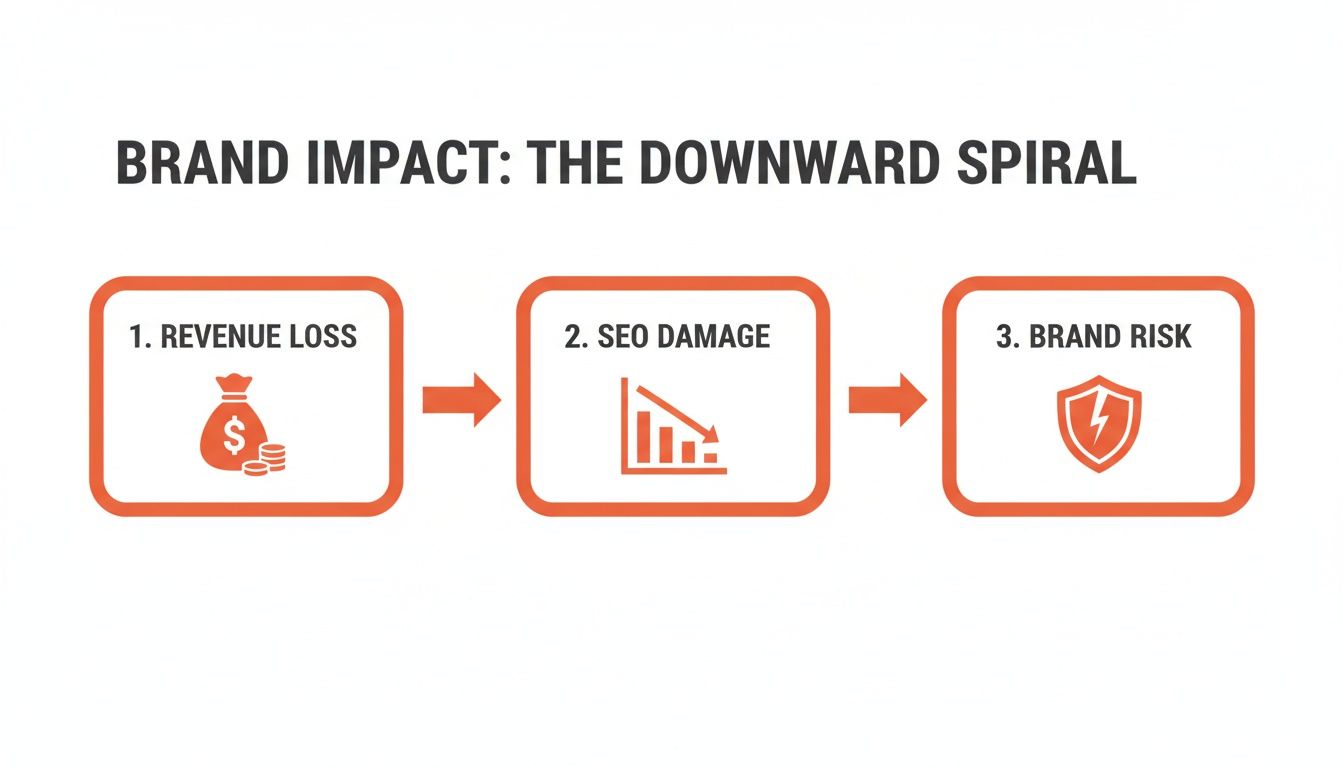
As the diagram illustrates, a single misgraded Warehouse Deal can trigger a chain reaction, eroding customer trust and your market position.
Executing a Clear Escalation Plan
The moment your alert system flags a new Amazon Warehouse Deal, your response plan should begin. Your goal is simple: verify the product's actual condition and, if Amazon graded it incorrectly, get the listing removed or corrected. This is how you protect future customers and your brand's integrity.
Your escalation plan should follow these exact steps:
Order the Item Yourself: This is the most important step. You cannot challenge Amazon's grading without proof. Use a personal Amazon account—not your business one—to buy the item. This provides a legitimate order ID and firsthand evidence.
Document Everything Upon Arrival: When the package arrives, be thorough. Take clear photos and videos of the product before opening the shipping box. Document its condition, the state of the packaging, and any damage.
Compare Against the Condition Grade: If the item was listed as 'Used - Like New' but arrives with deep scratches and missing accessories, you have clear evidence of misgrading. Your photos are your proof.
With this evidence—the order ID, photos, and a clear description of the discrepancy—you have what you need to build a strong case with Amazon Seller Support.
Finally, create a precise and professional support ticket. Open a case in Seller Central, state the issue clearly ("Incorrectly Graded Amazon Warehouse Item"), and attach all your evidence. Explain how this misgrading damages your brand and creates a poor customer experience. For a comprehensive strategy to protect your intellectual property and revenue, consult a comprehensive guide to brand protection on Amazon. This approach ensures you're not just reacting to problems but building a defensible brand.
Navigating FBA Policies and Reclaiming Lost Revenue
While monitoring your products on Amazon Warehouse is a defensive measure, understanding Amazon's FBA policies allows you to be proactive in reclaiming lost money. Many brands accept damaged or returned stock as a cost of doing business. However, a significant portion of that loss is often Amazon's responsibility—and they will reimburse you for it if you know how to file a claim.
The key is to understand the difference between your responsibility and Amazon's. When an item is returned or found damaged in a fulfillment center, Amazon assigns it a "disposition code." That code determines who is financially responsible.
Differentiating Damage Types
Not all damage is treated the same in Amazon's system. Your ability to get reimbursed depends entirely on how an item is categorized. There are three main classifications to know, as each directly affects your finances.
Fulfillment Center Damaged: This is inventory damaged while in Amazon's possession—for example, if an item is dropped in the warehouse or damaged during transit between Amazon's own centers. In this case, Amazon is at fault, and you are eligible for a full reimbursement.
Customer Damaged: This covers items a customer sends back in a condition different from how it was sent. Because Amazon fulfilled the order correctly, they consider this the seller's responsibility, and you will not be reimbursed.
Carrier Damaged: This category is for items damaged by an Amazon-partnered carrier during delivery to the customer. Similar to fulfillment center damage, Amazon takes responsibility here, and you are owed a reimbursement.
The important point is that any inventory damaged while in Amazon's possession—either in their warehouses or by their delivery partners—is money you are entitled to recover. Overlooking these reimbursement opportunities is leaving money on the table.
The Practical Guide to Filing Reimbursement Claims
Getting what you're owed requires a systematic approach. It's about presenting clear, data-backed evidence from Amazon's own reports, not arguing with Seller Support. This process can turn a potential loss into a recovered asset. For a deeper look at the broader topic, you can learn more about how to best Fulfil by Amazon in our comprehensive article.
Here’s your step-by-step process for recovering that revenue:
Pinpoint Eligible Items: In Seller Central, go to the "FBA inventory" report. Filter this report by disposition status to find every unit marked as 'Fulfillment Center Damaged' or 'Carrier Damaged'. This is your list of targets.
Calculate the Proper Value: Amazon is supposed to reimburse you for these items automatically, but their automated calculations can be incorrect. You should calculate the expected reimbursement yourself: (Your product's sale price) - (FBA fees) - (Referral fees). Compare your calculation to what Amazon actually paid.
Submit a Precise Claim: If you find discrepancies or missing reimbursements, open a new case with Seller Support. Be specific. State the ASIN, the FNSKU, and the exact date the damage occurred. Clearly show your calculation and compare it with what was (or was not) paid.
Using Removal Orders as a Strategic Tool
Sometimes, the best move is to physically inspect returned inventory yourself, especially for items marked 'Customer Damaged'. This is where removal orders become a valuable strategic tool.
Instead of letting Amazon's staff decide if a returned item is sellable, you can create a removal order to have the unit shipped back to your own warehouse. It costs a small fee per item, but it gives you complete control.
You can then inspect the product yourself. Is it truly damaged, or was it just an open-box return that can be refurbished, repackaged, or resold through other channels? This single action prevents potentially subpar goods from being relisted as an Amazon Warehouse Deal, protecting your brand's reputation and giving you the final say over your product's lifecycle. It’s a small investment to prevent a much larger problem.
Finding Strategic Opportunities in Warehouse Deals
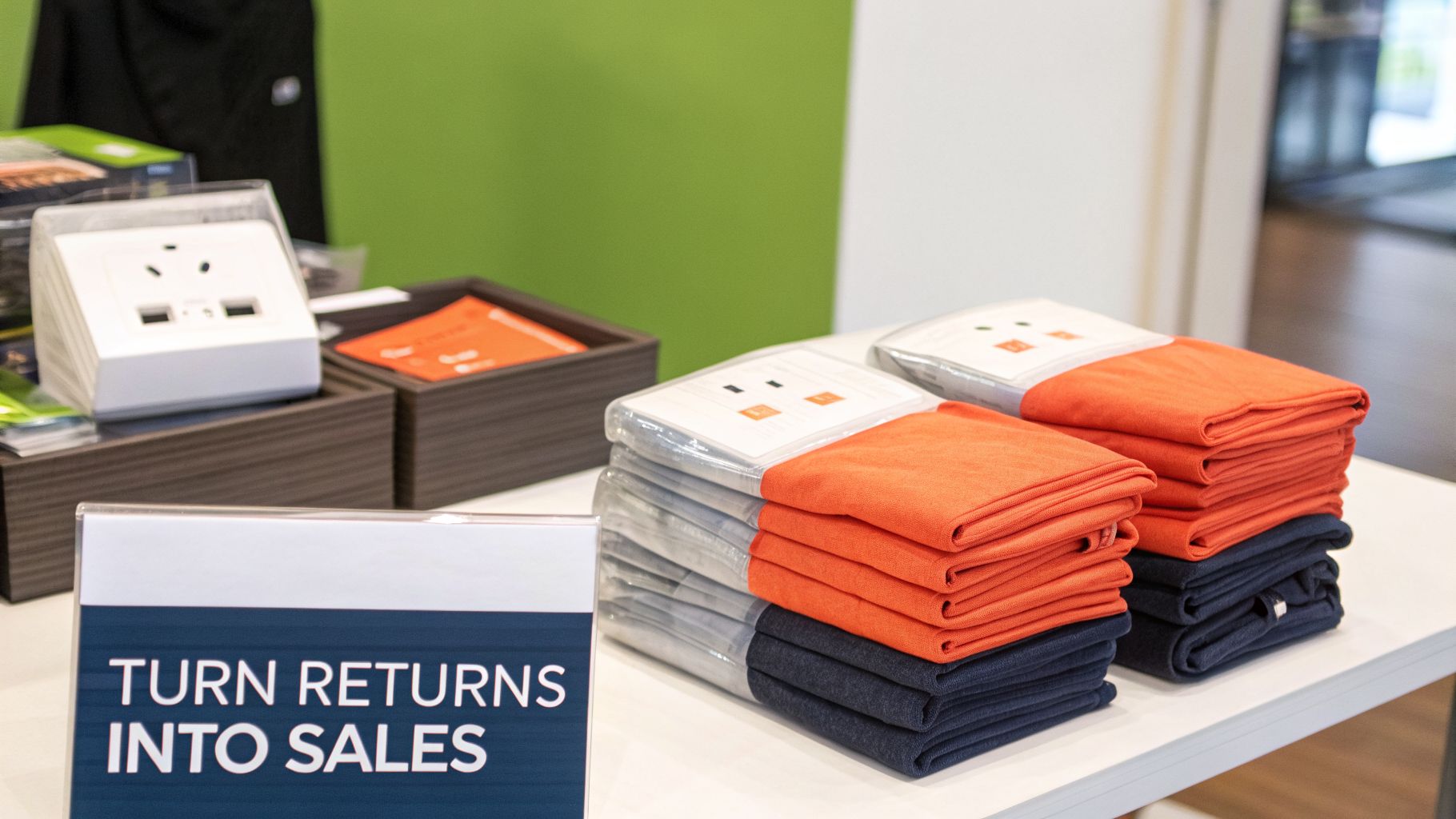
Most brands view an amazon warehouse deals listing as a problem—a rogue sale that undercuts their price and harms their brand. But this is a limited perspective.
For savvy brands, Amazon’s secondary market is not a threat; it's a strategic tool. It's about changing your viewpoint from seeing Warehouse Deals as a random issue to treating it as a controlled channel for liquidation and customer acquisition.
Instead of fighting every used listing, you can selectively allow functional, open-box returns to sell through Amazon Warehouse. This is a much better alternative to offering steep, public discounts on your main product page, which can devalue your brand and train customers to wait for sales.
A Gateway to New Customers
Warehouse Deals can be a powerful entry point for a new segment of shoppers. These are the price-conscious buyers who are curious about your brand but hesitant to pay full price. A discounted, open-box item lowers their risk.
This gives them a low-stakes way to experience your product's quality firsthand.
A positive experience with a ‘Used - Like New’ item can be the start of a strong customer relationship. It builds the trust needed for them to purchase your products new in the future. They might become loyal, repeat customers or recommend your brand to others. You've effectively turned a returned unit into a customer acquisition tool.
This strategy works especially well for products where the packaging is less important than the function. Think of durable home goods, tools, or electronics. In these categories, smart shoppers know that a dented box doesn't change the fact that the cast-iron skillet or USB-C hub inside works perfectly.
By strategically allowing certain products into the Warehouse Deals channel, you're not just liquidating stock; you're investing in market penetration and reaching an audience that your premium pricing might otherwise miss.
Creating a Decision Framework
The key to making this work is control. You can't let Amazon manage this process without your input. You need a system to decide which returns are good candidates for this channel and which must be reclaimed for inspection or disposal.
Developing a clear decision matrix is the only way to manage this effectively. A framework ensures you're making consistent, data-driven choices instead of reactive ones. For more on managing different types of discounted inventory, our guide on Amazon Outlet and Overstock deals offers helpful context.
You can learn more about the specifics of managing returned FBA stock by reading about how to handle FBA inventory returns.
Decision Matrix: When to Liquidate vs Reclaim
To get started, you need a simple but effective framework. This matrix will help you decide whether it's better to pay for a removal order and inspect an item yourself, or to let Amazon liquidate it as a Warehouse Deal.
Factor | Consider Reclaiming If... | Consider Allowing Liquidation If... |
|---|---|---|
Product Complexity | The item has many small parts or requires assembly. The risk of an incomplete return is high. | The product is a single, durable unit (e.g., a cast iron skillet) where functionality is easy to verify. |
Brand Perception | It's a luxury or gift item where the unboxing experience is part of the product's value. | The product's value is purely functional. Customers are buying it for what it does, not its packaging. |
Profit Margin | The item has a very high margin. The cost of a removal order is small compared to the lost revenue from a discounted sale. | The item has a low margin. The cost to remove, inspect, and restock is greater than the potential loss from a Warehouse Deal sale. |
Ultimately, a deliberate and strategic approach turns amazon warehouse deals from a random, disruptive force into a predictable part of your product lifecycle. It allows you to protect your brand while getting the most value from every unit—even those that are returned.
Your Top Questions About Warehouse Deals, Answered
Even with a solid strategy, the day-to-day reality of amazon warehouse deals can present challenges. This section provides direct, straightforward answers to the most common questions from brand managers and sellers.
Can I Stop Amazon from Selling My Products as Warehouse Deals?
The short answer is no, you can't simply opt out. The FBA business solutions agreement you signed gives Amazon the right to resell any returned item it deems sellable. It's a fundamental part of how they recover value from returns.
However, you can indirectly control what happens to your returned inventory.
The single most effective action you can take is to disable FBA Repackaging Services in your settings. When this service is active, Amazon staff may try to "fix" damaged packaging, such as taping a torn box. By disabling it, any item with damaged packaging is more likely to be classified as 'Unfulfillable' instead of being prepared for resale.
This simple setting change acts as a filter. It directs a larger portion of your returns to the 'Unfulfillable' category, making them ineligible for Amazon to relist. From there, you can use Removal Orders to get your inventory back, giving you final control.
This is how you intercept products before they are listed on the Warehouse Deals channel. You can't stop the process entirely, but you can redirect a significant portion of returns back to your own warehouse for inspection.
How Do I Find My Products Being Sold on Warehouse Deals?
You need to be proactive. Amazon will not notify you when one of your returned products is listed on the Warehouse storefront. Waiting for a customer complaint is too late.
There are a few ways to find these listings, from manual checks to automated systems.
Manual Search on Amazon: The most basic method is to go to the Amazon site, search for "Amazon Warehouse" to find the storefront, and then filter by your brand name. This is time-consuming and may not show all listings.
Check Your Product Detail Page: A more reliable manual check is to go to one of your live product pages and look for the "New & Used offers" or "Other Sellers on Amazon" box. If Amazon Warehouse has an offer for that product, it will be listed there, usually with a "Used" condition.
Use Automated Monitoring Tools: For a comprehensive strategy, third-party brand monitoring software is the best option. These tools scan for your ASINs across Amazon 24/7. The moment a new offer from the "Amazon Warehouse" seller appears, you receive an alert.
Using an automated tool saves significant time and allows you to react as soon as a listing appears, not days later after it has already impacted your sales and Buy Box.
What KPIs Should I Track to Measure the Impact?
To understand the real effect amazon warehouse deals are having on your brand and revenue, you need to track specific, measurable metrics. Data is more effective than intuition.
Here are the four most critical KPIs to monitor:
Buy Box Percentage: This is your top priority. Check your Seller Central reports and track the Buy Box percentage for your key ASINs. A sudden drop often corresponds with a new, cheaper Warehouse Deal offer winning the "Add to Cart" button.
Unit Session Percentage (Conversion Rate): This metric shows how many visitors to your page make a purchase. If your traffic is steady but your conversion rate drops, it's a major red flag. It suggests shoppers are visiting your page and then choosing the discounted used offer instead.
Overall Sales Velocity: Keep a close eye on the total sales for a specific ASIN. If you see a dip in daily or weekly sales for a product that has a live Warehouse Deal, it's evidence that the used offer is cannibalizing your new-condition sales.
FBA Reimbursements: This is a proactive KPI. It tracks how much money you successfully recover from Amazon for inventory they damage. This metric turns a loss into a measurable win and demonstrates the value of your claims process.
By tracking these four metrics, you create a dashboard that provides a clear picture of how and when Amazon Warehouse Deals are affecting your business. This data is what you need to justify your actions and make smarter decisions.
Ready to stop guessing and start winning in Amazon's AI-driven search? With Cosmy, you can audit your content performance, diagnose visibility gaps, and get actionable intelligence to improve your rankings and conversion. Get your free audit today and turn Amazon’s opaque algorithm into your competitive advantage. Learn more at https://cosmy.ai.