Your Guide to the Amazon FBA Calculator

Written by

Cosmy
AI-driven eCommerce Optimization
An Amazon FBA calculator is a tool that helps you estimate your profit. You enter your product costs, your selling price, and it calculates the various Amazon fees to show you what you'll earn on each sale.
Think of it as a financial check-up for your product before you launch it. If you get this step wrong, you could sell hundreds of items and still lose money on every single one.
A Quick Overview of Core Amazon FBA Fees
Before using a calculator, you need to understand the main fees Amazon will charge you. These aren't just small details; they are major costs that determine if your product will be profitable. While knowing the basics of what are expenses in business helps, Amazon's fee structure is unique.
Here’s a simple look at the three main fees you’ll encounter.
Fee Type | What It Is | How It's Calculated |
|---|---|---|
Referral Fees | This is Amazon's commission for letting you sell on their website. It's their share of the sale. | A percentage of the total sale price (item price + shipping + gift-wrapping). The percentage depends on the product category. |
Fulfilment Fees | The cost for Amazon to pick your item from a warehouse shelf, pack it in a box, and ship it to the customer. | Based on your product's size and weight. A small, light item costs less to ship than a large, heavy one. |
Storage Fees | The rent you pay for the space your products take up in Amazon's warehouses. | Charged monthly per cubic foot of space used. The rates are higher during the busy holiday season (October–December). |
Understanding these three fees is the first step to running a successful FBA business. Let's look at each one more closely.
Referral Fees
This is the fee you pay to access Amazon's millions of customers. For every item you sell, Amazon takes a percentage of the total price the customer pays—this includes the item price, shipping, and any gift-wrapping.
This fee isn't the same for all products. It changes based on the product category. For example, consumer electronics might have an 8% referral fee, while clothing could be 17% or higher. This fee has a big impact on how you price your product and can make one product category much more profitable than another.
Fulfilment Fees
This is what you pay for the convenience of using Fulfilment by Amazon (FBA). It covers the work Amazon does in its warehouse: an employee finds your product, packs it, and ships it to the customer.
The fulfilment fee is based on your product’s size and weight. A small, lightweight phone case will have a much lower fee than a heavier set of kitchen pans.
After the cost of your product itself, this is often the biggest fee you'll pay. If you get your product's dimensions or weight wrong, you could face unexpected charges on your payment reports.
Storage Fees
Amazon’s warehouses are for selling, not for long-term storage, and their fees reflect this. You are charged for the physical space your inventory occupies, calculated per cubic foot.
There are two types of storage fees:
Monthly Storage Fees: This is your regular rent for inventory space. The cost per cubic foot increases during the busy holiday season from October to December.
Long-Term Storage Fees: This is a penalty. If your products sit unsold in a warehouse for more than 365 days, Amazon will charge you this extra fee to encourage you to sell or remove the stock.
Learning to manage these costs is essential for any seller. These three fees—referral, fulfilment, and storage—are the basic numbers that any Amazon FBA calculator uses to estimate your profit.
How to Manually Calculate Your Amazon Profit
Before you use an online tool, it's a good idea to calculate your profit by hand. It may seem like extra work, but doing the math yourself helps you truly understand your business's finances. It gives you a solid grasp of your costs and helps you notice if a calculator gives you a number that doesn't seem right.
Let's break down how to do it.
The Basic Profit Formula
Net profit is what’s left after you’ve paid all your costs. While simple in theory, understanding metrics like how to calculate gross margin is key to getting it right.
The basic formula is:
Net Profit = Sale Price – (Cost of Goods + Amazon Fees + Other Costs)
The formula is straightforward, but the "Amazon Fees" part includes several different charges.
Breaking Down the Components
Let's use an example to make this practical. Imagine you want to sell a stainless steel garlic press for ₹999.
Cost of Goods Sold (COGS): This is what you pay for the product, including all costs to get it to an Amazon warehouse. Don't just count the factory price. You must also include shipping, customs duties, and any other fees to get it ready for sale.
Example: The garlic press costs ₹150 per unit from your supplier. Shipping and customs add another ₹30 per unit. Your total COGS is ₹180.
Amazon Fees: This is where many new sellers get confused because it's not a single fee. The main ones are:
Referral Fee: Amazon’s commission. For a Kitchen & Dining product, let's assume it's 11%.
Fulfilment Fee: The cost to pick, pack, and ship. For a small item like our garlic press, this might be ₹85.
Storage Fee: The rent for your inventory space. This is a small cost per unit, but it adds up. Let’s estimate it at ₹5 per unit for one month.
This chart shows how the fees are structured.
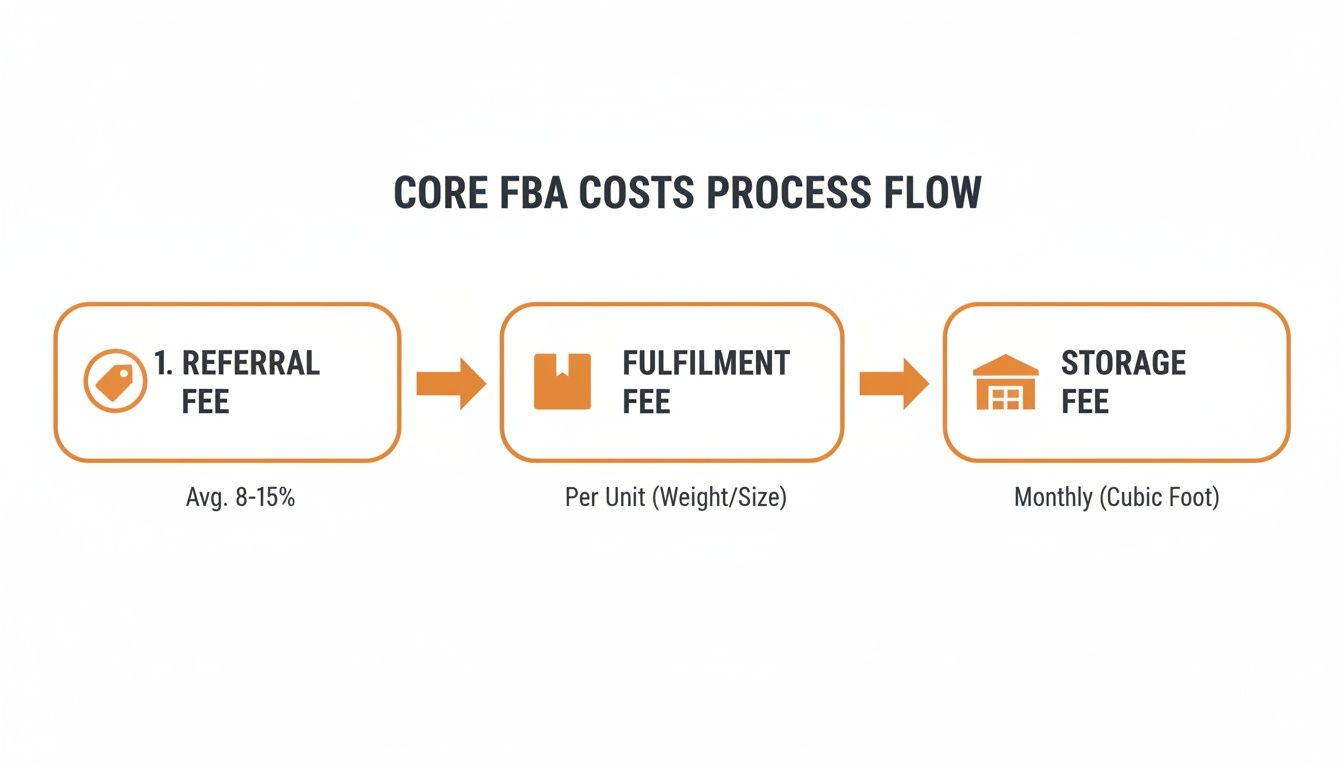
As you can see, fees are applied at different points, from the moment of sale to the ongoing cost of storing your products.
Putting It All Together: A Worked Example
Now, let's use the numbers for our garlic press to calculate the profit per unit.
Sale Price: ₹999
Costs to Subtract:
COGS: ₹180
Referral Fee (11% of ₹999): ₹109.89
Fulfilment Fee: ₹85
Monthly Storage Fee: ₹5
Total Costs = ₹180 + ₹109.89 + ₹85 + ₹5 = ₹379.89
Now, we can find our net profit.
Net Profit = ₹999 – ₹379.89 = ₹619.11
To find the net margin, we divide the profit by the sale price: (₹619.11 / ₹999) x 100 = 62%. That looks like a great margin, but we haven't included other costs like marketing or returns yet, which we'll cover later.
Calculating profit by hand forces you to find every cost associated with your product. Missing just one fee—like using the wrong referral fee percentage or underestimating your shipping cost—can make a profitable-looking product a money-loser.
The Importance of Accurate Fee Projections
Underestimating costs is a common and dangerous mistake. That's why FBA calculators have become so important. For example, sellers who didn't account for the holiday season storage rate increases—from ₹40 per cubic foot to ₹95—saw their Q4 costs jump significantly.
This manual process is slower than using an FBA calculator, but the understanding you gain is valuable. It teaches you to think critically about your numbers and make smarter sourcing decisions. Once you've done this, you can use calculators to speed up the process with confidence.
Getting an Edge with an Amazon FBA Calculator
Calculating your profit by hand is a great way to learn the fundamentals, but it’s slow when you’re researching many product ideas. This is where an FBA calculator becomes an essential tool.
It acts as a quick financial forecaster. You provide the product data, and it instantly shows you the fees, potential profit, and margin. This lets you evaluate multiple ideas in the time it would take to create one spreadsheet.
Where to Find and How to Use an FBA Calculator
Amazon provides its own free FBA Revenue Calculator, which is a good place to start. Many third-party seller tools also offer calculators, often with more features. The process is similar no matter which tool you use.
First, you find a product on Amazon to analyze. You can use its name or ASIN (Amazon Standard Identification Number) if it’s an existing product, or you can enter the details for a new product manually.
Most calculators will ask for the following information for new products.
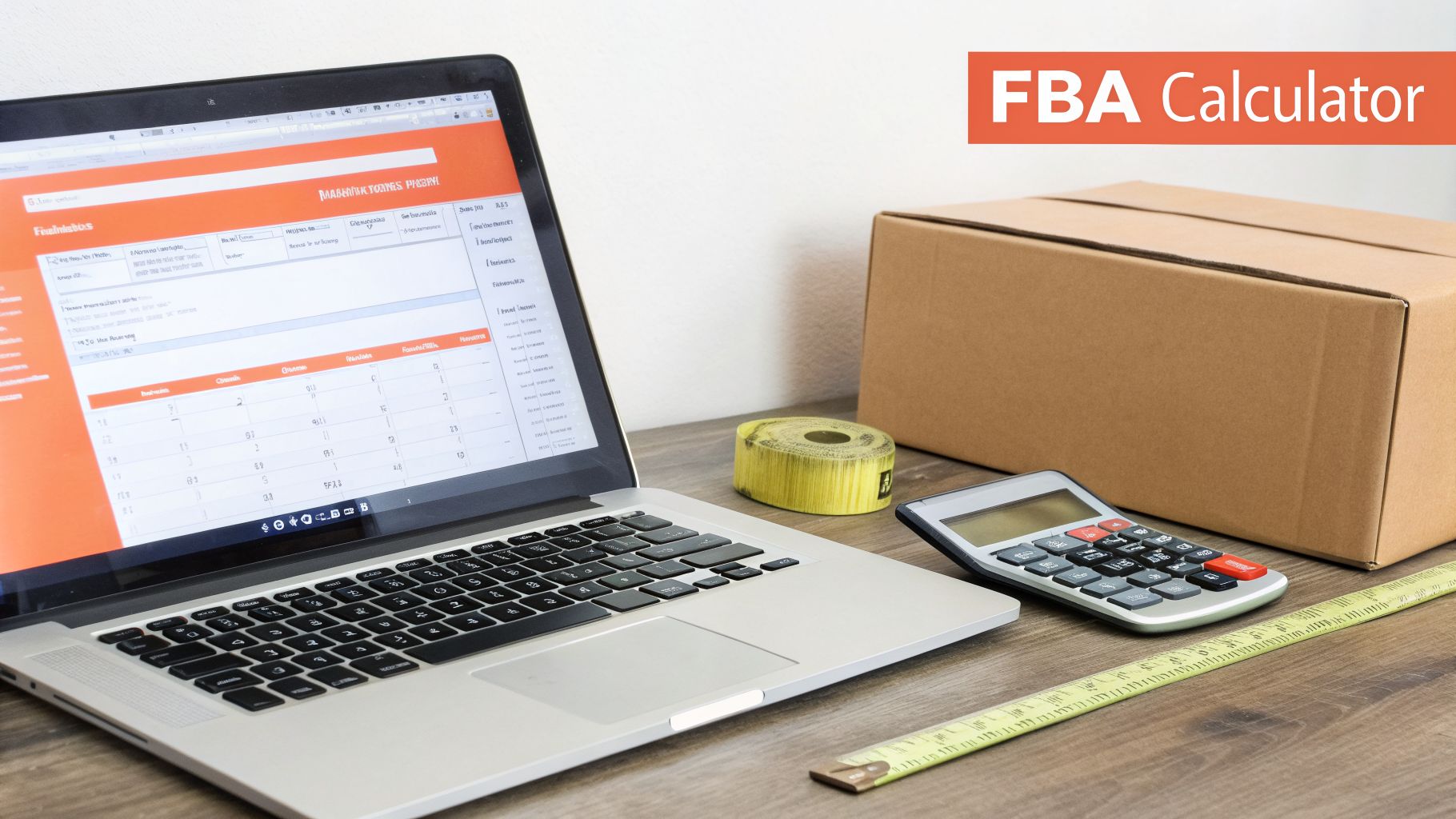
Here, you'll enter the key details—package dimensions, weight, and category—that the tool needs to estimate the fees correctly.
Feeding the Calculator the Right Data
The calculator is only as good as the information you give it. Let's use our garlic press example to see what’s needed.
Product Sale Price: The price you plan to sell the product for. For our garlic press, we’re aiming for ₹999.
Cost of Goods (or Item Cost): This must be your landed cost per unit—the factory price plus shipping, customs, and any other charges to get it to Amazon. Our landed cost was ₹180.
Product Dimensions & Weight: This is very important. You must use the dimensions and weight of the final packaged product, not the item by itself.
Product Category: This determines the referral fee. Selecting "Kitchen & Dining" ensures the correct rate is used.
Once you enter these details, the calculator will pull the current referral and fulfilment fees from Amazon.
A common and costly mistake is using the product's dimensions instead of the final packaging dimensions. Amazon's fee tiers are based on the packaged size. A few extra centimeters can push your product into a more expensive fee tier and erase your profit.
How to Interpret the Calculator's Output
After you click "Estimate," you’ll see a summary of your product's financial potential. The layout may differ between tools, but the results will focus on three key metrics.
Knowing what these numbers mean is more important than just entering them.
Net Profit and Net Margin
These are the two most important numbers.
Net Profit: This is your bottom-line profit per unit, shown in rupees. It’s calculated as
Sale Price - All Fees - Cost of Goods. This is the actual cash you make from each sale.Net Margin: This shows your net profit as a percentage of your sale price. It’s a key indicator of risk. A low margin (like 10-15%) is risky, as a small increase in ad costs or returns could wipe out your profit. A healthier margin of 25% or more provides a buffer.
For our garlic press, the calculator would confirm a net profit of around ₹619 and a margin of 62%. This is a strong signal that the product could be a winner.
Return on Investment (ROI)
While margin shows how profitable a sale is, ROI shows how effectively your money is working for you. It answers the question: "For every rupee I invest in inventory, how much profit do I get back?"
The formula is: (Net Profit / Item Cost) x 100.
For our garlic press: (₹619 / ₹180) x 100 = 344%
An ROI of 344% is excellent. It means for every rupee you spend on inventory, you get that rupee back plus an extra ₹3.44 in profit.
ROI is useful for comparing different product opportunities. A product with a high margin but a very high cost might have a lower ROI than a cheaper product with a slightly lower margin, making the cheaper item a smarter investment. An FBA calculator helps you see this clearly.
Accounting for Hidden Costs and Other Variables
A basic profit calculation from an FBA calculator is a good start, but it's not the whole story. The initial numbers might look great, but many sellers are surprised by costs that appear after the sale. To be truly profitable, you have to dig deeper.
These are the "hidden" costs that can quietly reduce your profit margin. Understanding them is a critical business practice.
Beyond the Calculator's Core Fees
Most FBA calculators handle referral, fulfilment, and standard storage fees well. But for a realistic financial picture, you must also account for other operational costs.
Here are some key variables to consider:
Product Returns: Returns are a normal part of e-commerce. When a product is returned, you not only lose the sale but may also have to pay a returns processing fee to Amazon.
Long-Term Storage Fees: If your inventory doesn't sell and sits in a warehouse for over 365 days, Amazon will charge you significant penalty fees.
Removal Order Fees: If you need to dispose of or retrieve unsellable inventory, you have to pay Amazon a per-item fee.
Business Overheads: These are general business costs not tied to a single product. Examples include advertising (Amazon PPC), professional product photos, and the cost of ordering samples.
Many sellers treat marketing costs as separate from product profitability. In reality, your advertising cost directly affects each unit's profit. If a product isn't profitable with advertising included, its business model is weak.
The Impact of Advertising and Returns
Let's return to our garlic press example to see how these hidden costs can change things. Our initial calculation showed a profit of ₹619.11 per unit.
Now, let's add some real-world factors. We'll assume a 5% return rate and a target Advertising Cost of Sale (ACoS) of 10%. ACoS is the percentage of sales revenue you spend on advertising.
Scenario A: The "Perfect World" Calculation
Sale Price: ₹999
Net Profit: ₹619.11
Net Margin: 62%
Scenario B: The Realistic Calculation
Advertising Cost: A 10% ACoS on a ₹999 sale price is ₹99.90.
Return Cost: A 5% return rate means 5 out of every 100 units are returned. This erases the profit from those sales. To simplify, we can average this lost profit across all sales. If the loss per return is about ₹380 (including fees), a 5% rate adds an average cost of ₹19 per sale (
₹380 * 0.05).
Now, let's recalculate our real profit: New Net Profit = ₹619.11 (Original Profit) - ₹99.90 (Ads) - ₹19 (Returns) = ₹500.21
The new net margin is now 50% (₹500.21 / ₹999). That's a 12% drop from our first estimate. While 50% is still a good profit, you can see how easily these other costs affect your bottom line. A good Amazon revenue calculator can help you track these variables.
Staying Ahead of Variable Costs
Ignoring these costs is a risk. Sellers who don't account for advertising (often 10-15% of sales) and returns (2-5%) can see their actual profit vary by as much as 28% from their initial estimates.
This shows how important it is to go beyond basic fee calculations. Including these costs in your initial analysis—often by using a "Miscellaneous Cost" field in a good FBA calculator—will give you a more reliable financial forecast for your products.
Turning Calculations Into Profitable Actions
Getting your numbers right is just the first step. An FBA calculator gives you a profit estimate, but that number is a starting point, not a final answer. This is where you shift from calculating numbers to making smart business decisions.
A small profit margin isn't a dead end; it's a signal to review your costs. Even a healthy profit can be improved with a few adjustments. This is where you start acting like a business owner.
What To Do When Your Margins Are Too Thin
If the calculator shows a net margin below your goal—for instance, under 20%—it's time to pause. Launching a product with a very thin margin is risky. An unexpected rise in ad costs or a bad batch of inventory can quickly eliminate your profit.
Here are some steps you can take:
Talk to Your Supplier: Your Cost of Goods Sold (COGS) is often the most flexible part of your costs. Ask your supplier for a lower price on a larger order. Even a small 5-10% discount can significantly improve your margin.
Bundle Your Products: If a single item's price is too low to absorb FBA fees profitably, consider bundling. Selling two or three items together increases the total sale price, often without a large increase in fulfilment fees. This can make the transaction more profitable.
Re-evaluate Your Price: Are you charging too little? Look at your competitors. If your product has better features or quality, you may be able to charge a higher price. Our guide on tracking Amazon price history can help with this research.
Cut Your FBA Fees with Smarter Packaging
Amazon’s fulfilment fees depend entirely on your product's size and weight. A few centimeters or grams can be the difference between a standard fee and a much higher oversized fee. This is a key area for cost-cutting.
Be creative with your packaging. Can you replace a bulky box with a smaller vacuum-sealed bag or a lighter mailer? Even a small change to make a box more compact could move your product into a cheaper FBA fee tier.
Never finalize a packaging design until you've run the dimensions through an FBA calculator. A tiny change that reduces the package height from 2 cm to 1.8 cm might seem small, but it could save you money on every unit you sell. That savings goes directly to your profit.
Manage Inventory to Slash Storage Costs
Storage fees can quietly drain your profits, especially for slow-moving products. The fees add up quickly and are even higher during the Q4 holiday season. An FBA calculator shows you how these costs accumulate, but your inventory strategy is what keeps them low.
The goal is to improve your inventory sell-through rate—how quickly you sell and restock your products.
Start with a Small Order: For a new product, it’s safer to place a smaller initial order to test its popularity. It's better to run out of stock for a short time than to be stuck with thousands of units and high storage fees.
Use Promotions to Sell Old Stock: If inventory is getting old, don't let it sit. Run a coupon or a special deal to boost sales and clear out the units before you get hit with long-term storage penalties.
Monitor Your Inventory Health: Keep an eye on your Inventory Performance Index (IPI) in Seller Central. Amazon provides a dashboard that shows how well you're managing your stock—use it.
Getting these calculations right has a big impact. When sellers began using these tools more consistently, they were able to cut their losses from miscalculations and improve their overall profitability.
Ultimately, every number from an FBA calculator is an opportunity. A high fee should lead to a review of your packaging. A low margin should prompt a call to your supplier. By linking these numbers to action, you can turn a simple calculator into a powerful tool for building a more profitable Amazon business.
Burning Questions From the Seller Trenches
When you're first using an FBA calculator and trying to figure out your true costs, a few questions often come up. Let's answer the most common ones to help you move forward.
How Often Do Amazon FBA Fees Change?
Amazon typically announces fee changes once a year, usually towards the end of the year, with the new rates taking effect early in the next. This means a profit calculation you do in December might be inaccurate by February.
Any good FBA calculator will be updated by its developers to reflect these new rates. If you use a manual spreadsheet, you are responsible for updating it. You must find the new fee schedule and apply it to your calculations to avoid any surprises.
What if My Calculated Profit Is Negative?
Seeing a negative number is a good thing. It’s a clear warning to stop and reassess before you invest your money. A loss on paper will likely become a real loss later.
A negative profit isn't a failure; it’s important information. It tells you that one of the variables in your plan is wrong. Acting on this information before you buy inventory is one of the smartest things you can do.
First, double-check all your numbers. A simple typo can change everything. If the numbers are correct, it’s time to take action:
Reduce Your COGS: Contact your supplier. Can you negotiate a better price per unit?
Lower Your FBA Fees: Can you redesign the product's packaging to be smaller or lighter? This might move you into a cheaper fulfilment fee tier.
Reconsider Your Price: Research your competitors again. Is there room to increase your selling price without losing customers?
Find a New Product: Sometimes, the numbers just don't add up. The best decision might be to accept that a product isn't viable and look for a new opportunity.
Never launch a product until your Amazon FBA calculator shows a healthy, positive profit margin.
Can I Use an FBA Calculator for Internationally Sourced Products?
Yes, but this is where many new sellers make a big mistake. For your calculation to be accurate, you must include all import-related costs in your cost of goods. Your true cost per unit is more than just the factory price.
Your landed cost must include:
International shipping (freight)
Import duties and tariffs
Customs brokerage fees
For example, let's say your product costs ₹200 per unit from the supplier. Your total import costs for an order of 1,000 units are ₹50,000. Your true cost per unit isn't ₹200; it's ₹250 (₹200 + ₹50,000/1,000).
Forgetting to add that extra ₹50 per unit will give you an overly optimistic profit forecast that won't match your final results.
Ready to move beyond guesswork and align your products with Amazon's AI? Cosmy audits your listings against the signals from Amazon's generative AI to find and fix visibility gaps. Get your free, actionable content audit today and see what the algorithm sees. Learn more and get started at https://cosmy.ai.