Mastering Your Margins with a Revenue Calculator for Amazon
Written by

Cosmy
AI-driven eCommerce Optimization
An Amazon revenue calculator is a tool that models your potential profit on a product by subtracting all associated fees and costs from its sale price. It moves you from simply tracking sales to understanding your actual net profit per unit.
Moving Beyond Guesswork in Amazon Sales

Staring at your gross sales numbers without knowing your true profit is a common struggle for Amazon sellers. The real challenge is the confusing web of fees that makes predicting your net profit notoriously difficult. It’s painfully easy to think a product is a winner based on a simple "Sale Price - Product Cost" calculation, only to find your margins have vanished after Amazon takes its share.
This is where a revenue calculator for Amazon becomes an essential tool, not just a simple spreadsheet. It gives you a clear, data-driven forecast of a product's financial viability before you invest a single euro in inventory.
Why Every Seller Needs Accurate Projections
Relying on guesswork can lead to costly mistakes, like over-ordering a low-margin product or setting a price that doesn't even cover your hidden costs. An accurate calculator helps you make smarter decisions across your entire business. For instance, knowing your precise margin per unit allows you to set a realistic and sustainable advertising budget.
Using a calculator transforms your approach in several key areas:
Product Research: Quickly check new product ideas to see if they can be profitable. Instantly see if a popular item can actually make money after FBA fees, or if its size and weight make it too expensive to ship.
Inventory Planning: Accurate profit data helps you decide which products to reorder and which to discontinue. This stops you from tying up capital in inventory that delivers minimal returns.
Pricing Strategy: Test different price points to see how they impact your net profit. You might discover that a slightly higher price significantly boosts your margin with little effect on sales.
A revenue calculator is your first line of defense against unprofitable products. It replaces assumptions with concrete data, allowing you to build a resilient business on Amazon by focusing only on items that actually contribute to your bottom line.
Deconstructing the Numbers for Your Calculator
To get a reliable result from any Amazon revenue calculator, you need to feed it accurate data. Your final profit figure is only as good as the numbers you put in.
Think of it as gathering ingredients for a recipe; if one is wrong, the final dish won't turn out right. The first number is the item price—what the customer actually pays for your product on Amazon. This is your starting point, the gross revenue from which all your costs will be subtracted.
Accounting for Your Product Costs
Next up is your Cost of Goods Sold (COGS). This is a common stumbling block. It isn't just what you paid your manufacturer for the product; a true COGS figure includes every expense required to get that product ready for sale.
To calculate it correctly, you must include:
Manufacturing Cost: The per-unit price you pay your supplier.
Inbound Shipping: The cost to ship the product from your factory to an Amazon fulfillment center.
Prep Fees: Any costs for services like labeling, poly-bagging, or bundling.
Import Duties: The taxes and tariffs you pay on goods brought into the country.
Forgetting any of these gives you a false sense of profitability. For example, a £5 product might actually have a true COGS of £7.50 once shipping and import fees are added—a difference that completely changes your margin and strategy.
Understanding Amazon's Share of the Pie
Amazon’s fees are often the most complex part of the equation and where many sellers miscalculate their profits. The two main ones are the Referral Fee and the FBA Fulfillment Fee.
The Amazon Referral Fee is the commission Amazon takes for every sale. It’s a percentage of the total sale price, typically ranging from 8% to 15%, depending on the product category. For most categories, a 15% fee is standard. This means on a £30 sale, Amazon immediately takes £4.50.
Then comes the FBA Fulfillment Fee. This is what Amazon charges you to pick, pack, and ship your product to the customer. This fee isn't a flat rate; it's based on your product's size and weight.
Concrete Example: Imagine you're selling a set of Bluetooth headphones. The product, in its packaging, weighs 0.6 kg and measures 20 x 15 x 8 cm. Based on Amazon's FBA fee schedule, this would fall into a specific size tier, costing you approximately £3.48 per unit for fulfillment. A heavier item, like a 1.5 kg kitchen appliance, could easily see that fee jump to over £5.00, significantly impacting your net profit on every sale.
To effectively break down the numbers for your Amazon revenue calculator, it helps to understand your Amazon sales data and key metrics. This information helps you input more accurate estimates for things like returns and advertising spend, leading to a much more reliable profit forecast. By using your own data, you're not just guessing; you're using historical performance to guide your future strategy.
Putting It All Together with a Worked Example
Formulas and fee tables only tell half the story. To really understand this, let's walk through a real-world calculation from start to finish. Seeing how the numbers add up is the best way to understand where your money actually goes and what's left for you.
For this exercise, we'll use a sample product: a set of premium wireless headphones.
The process is straightforward. You start with your sale price, then subtract all the costs and fees.
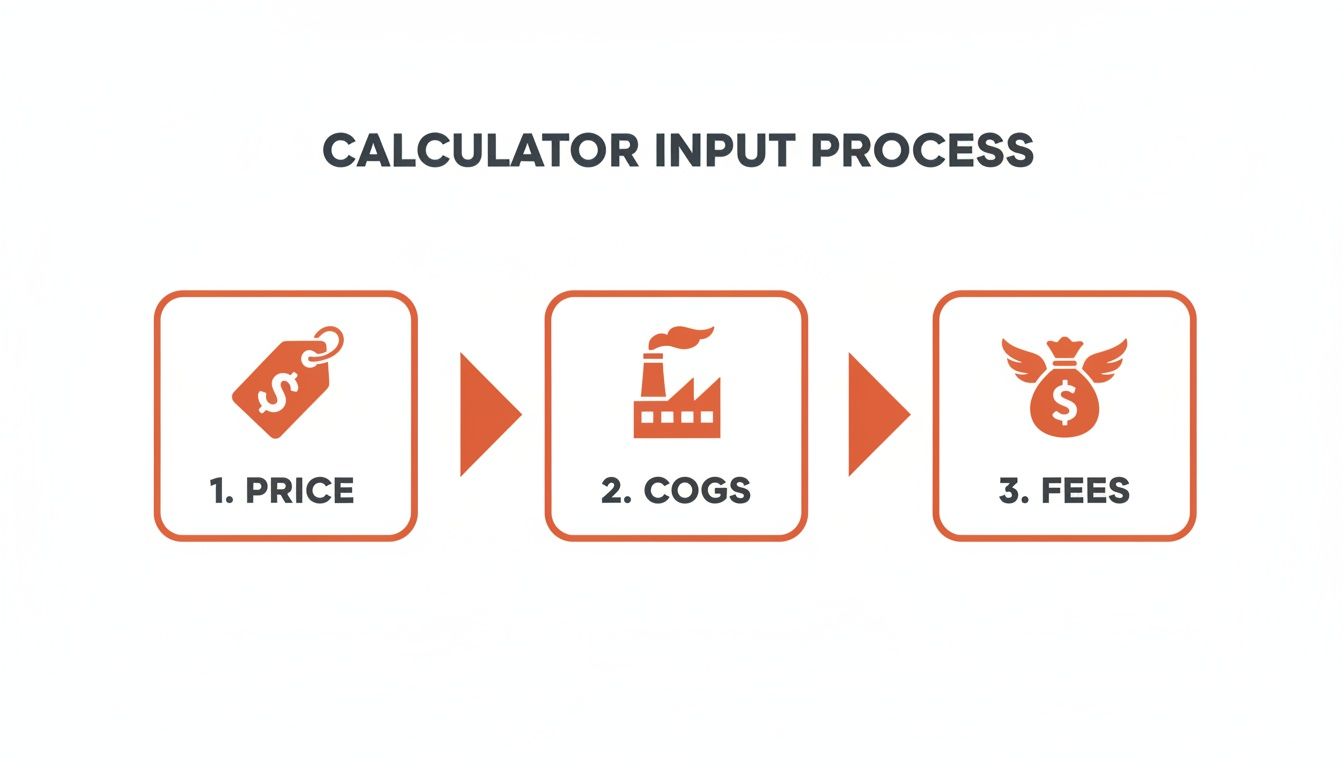
This simple flow is your roadmap from revenue to profit.
The Product and Its Costs
Let's break down the financials for our wireless headphones. Each number here is critical.
Item Sale Price: We're listing them at £49.99. This is our starting point.
Cost of Goods Sold (COGS): This is your "landed cost." After paying for manufacturing, international shipping, and import duties, each set of headphones costs us £15.00.
FBA Fulfillment Fee: Because our headphones are a standard size and weigh under 1kg, Amazon charges £3.96 to handle the picking, packing, and shipping for each order.
Referral Fee: Amazon takes its commission, which is 15% for the electronics category. On a £49.99 sale, that works out to £7.50.
These four numbers are the foundation of your profit calculation.
Calculating the Net Profit
Now, let's subtract our costs from the sale price to see the profit before advertising.
The initial math is simple: £49.99 (Price) - £15.00 (COGS) - £3.96 (FBA Fee) - £7.50 (Referral Fee) = £23.53
That £23.53 is our gross profit per unit. It looks good, but we haven't paid to acquire the customer yet.
Let's say we spend an average of £5.00 on ads to generate one sale. Making this number as low as possible is a science in itself. (If you want to go deeper on that, our guide to optimising your Amazon PPC ads strategy is a great place to start.)
Subtracting that final cost gives us our true net profit: £23.53 (Gross Profit) - £5.00 (Ad Spend) = £18.53 Net Profit per unit.
After every single cost and fee is accounted for, our wireless headphones business pockets a final net profit of £18.53 on every sale. This works out to a 37% net profit margin and a 123% Return on Investment (ROI) on the initial cost of the product.
Avoiding Common Pitfalls in Your Calculations

Using a revenue calculator is a massive step towards making smart decisions on Amazon. But even the best tools are only as good as the numbers you feed them. A few overlooked costs can quickly turn a profitable projection into a real-world loss.
These aren't just rookie mistakes; even seasoned sellers can fall into these traps. Let's break down the most frequent errors and how to fix them for a financial picture you can trust.
One of the biggest missteps is underestimating your return rate. It’s tempting to plug in a low number like 2-3%, but this can be dangerously optimistic depending on your category. Electronics, for instance, can easily see return rates of 10% or more.
The cost of a return isn't just the lost sale. You also lose the original fulfillment fee, and Amazon charges a returns processing fee. A high return rate doesn't just reduce revenue; it actively adds to your expenses.
Your best bet is to look at your own historical data. If you’re just starting out, research typical return rates for your specific product niche to set a more accurate benchmark.
Forgetting About Hidden and Variable Costs
Your Cost of Goods Sold (COGS) and ad spend are the obvious deductions, but other expenses are easier to miss. These "hidden" costs can silently reduce your margins if you don't account for them.
A classic example is long-term storage fees. If your inventory sits in a fulfillment center for more than 180 days, Amazon starts charging significant penalties. Factoring these in is critical, especially for seasonal products or items with a slower sales cycle.
Similarly, many sellers get their true COGS wrong. They’ll use the manufacturing price but forget the other costs that make up the final landed cost per unit.
Make sure your COGS calculation always includes:
Shipping from Supplier to Amazon: The freight cost to get your inventory into the FBA network.
Import Duties and Tariffs: These taxes can add a substantial amount to your product cost.
Prep Center Fees: Any money spent on labeling, bundling, or inspection services before your stock reaches Amazon's warehouse.
Misjudging Your Advertising Spend
Finally, you have to be realistic about your advertising budget. Many sellers either forget to include Pay-Per-Click (PPC) ad spend entirely or just use an optimistic guess for their cost-per-acquisition.
Don't just pull a figure out of thin air. Look at your existing PPC campaigns to find your average cost to generate a single sale for that specific product. If you're launching a new item, research how competitive your main keywords are to estimate a realistic starting budget. This final piece of the puzzle ensures your revenue calculator amazon results reflect the true cost of doing business.
Turning Calculations into Revenue Growth
An accurate revenue calculator does more than just tell you if a product is profitable. It’s a tool for planning. This is where you move from simple accounting to active business strategy, connecting your calculations directly to actions that grow your brand.
The real power here is its ability to answer "what if" questions. You can simulate the financial impact of business decisions before you commit, turning your projections into a dynamic playbook for increasing your net profit. This is the bridge between knowing your numbers and making them better.
Modelling Scenarios for Higher Margins
Scenario modeling is simply changing one or two variables in your calculator to see how it affects the final outcome. It lets you test a hypothesis without risking real capital. By running these quick simulations, you can immediately see which actions have the biggest impact on your profitability.
Consider these practical examples:
Pricing Adjustments: What happens to your net margin if you drop your price by 10% to compete for the Buy Box, but your sales volume jumps by 30% as a result? You can learn more about how to secure the Amazon Buy Box in our guide.
Advertising Efficiency: If a new ad campaign boosts your conversion rate by 15%, how much more can you afford to spend on ads per sale while still hitting your target profit margin?
Cost of Goods Reduction: Let's say you negotiate a 5% lower COGS with your supplier. Does that give you enough room to offer a small coupon to boost sales without hurting your bottom line?
Each of these scenarios gives you a data-backed answer, taking the guesswork out of your strategic planning.
From Calculation to AI-Driven Optimisation
While a calculator helps you model different outcomes, AI-driven tools can directly improve the numbers you're plugging in. When you optimize your product listings based on how Amazon's search algorithm understands and ranks content, you can significantly boost your organic visibility.
Better visibility leads to more clicks and more sales, often reducing your reliance on expensive ad spend.
Think of it this way: the calculator shows you the potential profit, but AI-powered content optimization is what helps you achieve and exceed that potential. By improving your listing, you increase the chances of converting a shopper, which makes every advertising dollar work harder.
This approach turns data into clear financial gains. Brands using these insights often see a 10-15% improvement in performance, which can translate into significant monthly revenue increases. The combination of accurate calculation and intelligent action is where sustainable growth happens.
Common Questions About Amazon Revenue Calculators
When you're trying to nail down your numbers on Amazon, a few questions always come up. Here are straight answers to the most common ones.
Which Amazon Revenue Calculator Is the Most Accurate?
The "most accurate" calculator is always the one you feed with the best data. The tool itself is far less important than the quality of your inputs. A good calculator with bad numbers will only give you the wrong answer, but faster.
My advice is to start with Amazon’s official calculator. It's the best way to get a feel for the basic fee structures directly from the source. As your business grows, you might consider more advanced tools that sync with your Seller Central account for automated analysis.
How Often Should I Recalculate My Product Profitability?
Checking your profitability quarterly is a good routine. Amazon’s FBA fees, storage costs, and referral percentages can change, and you need to make sure your pricing strategy is keeping pace.
Beyond your quarterly review, you must run the numbers again immediately whenever a major cost changes. That means using the calculator the moment your COGS change, your product gets re-measured into a new FBA size tier, or you make a significant change to your ad spend.
Can a Revenue Calculator Help Me Expand Internationally?
Yes, and you should not launch in a new country without one. Using a revenue calculator amazon is a critical first step in planning international growth.
However, you must use a calculator that is specific to the marketplace you’re targeting, like Amazon.de for Germany or Amazon.co.uk for the UK. The fee structures are completely different.
Key differences you have to account for include:
FBA Fulfillment Fees: These vary significantly from one region to another.
Referral Fees: Category commissions are not the same across all marketplaces.
Taxes: You'll need to factor in local taxes like Value-Added Tax (VAT), which can erase your net margin if you don't plan for it.
Ignoring these regional differences is a common and expensive mistake. A region-specific calculator is your first line of defense against financial surprises.
Your calculations show you where you are. Cosmy shows you how to get ahead. Our AI-driven insights boost your product's visibility on Amazon, helping you improve the very metrics you're plugging into your calculator. Instead of just projecting profit, start actively increasing it. Get your free, data-backed content audit today at https://cosmy.ai.