A Practical Guide to KDP Self-Publishing on Amazon
Written by

Cosmy
AI-driven eCommerce Optimization
KDP Self-Publishing is Amazon's platform that allows anyone to publish and sell their books directly to millions of readers. It's a free service that operates on a "print-on-demand" model. This means Amazon only prints and ships a copy of your book when a customer buys one. For you, this eliminates upfront printing costs and the risk of having unsold inventory. It's a popular choice for both new and experienced authors looking to bring their work to a global market.
Preparing Your Book for a Professional Launch

The success of your book is determined long before you click the "publish" button on Amazon. A professional launch requires turning your manuscript into a polished product that can stand out in a competitive marketplace. This preparation phase is where you lay the groundwork for success.
Perfecting Your Manuscript Format
A clean, well-formatted manuscript is essential. Readers expect a professional reading experience, and errors like inconsistent fonts, awkward spacing, or text cut off at the margins can lead to negative reviews. These mistakes suggest an amateur publication and can pull readers out of your story.
You don't need to be a design expert to get this right. KDP provides free tools like Kindle Create, but you can also format your book effectively using standard software like Microsoft Word or Google Docs. The key is consistency.
Page Size: First, decide on the trim size for your paperback. A common size for novels is 6x9 inches. Set this page size in your document before you do any other formatting.
Margins: Use a margin of at least 0.25 inches on all sides. Anything smaller risks text being cut off during printing.
Fonts: Choose a single, easy-to-read font for the main body of your text, such as Times New Roman or Garamond, and use it consistently.
Chapter Headings: Use a consistent style (e.g., "Heading 1") for all your chapter titles. This allows KDP to automatically create a clickable Table of Contents for your Kindle version.
Your manuscript is your product. Formatting problems are common but avoidable. Getting the format right ensures readers have a smooth, professional experience from the first page.
For more detailed guidance, a good essential self publishing guide can walk you through these crucial steps to ensure you don't miss anything.
Designing a Cover That Sells
Your book cover is your most important sales tool. On Amazon, it appears as a small thumbnail image, competing for attention with numerous other books on the same screen. A reader typically decides in just a few seconds whether to click on your book or scroll past. This decision is almost entirely based on your cover.
A strong cover accomplishes three things quickly: it grabs attention, clearly communicates the book's genre, and remains visually appealing even as a small thumbnail. For example, a thriller cover might use dark colors and sharp fonts, while a romance cover will likely feature a couple and use softer typography.
A practical tip: finalize your cover design after your manuscript is fully formatted. The final page count of your book determines the exact spine width needed for the paperback version.
Gathering Your Essential Information
A professional launch means having all your marketing materials prepared before you begin the upload process. You should not be writing your book description or author bio for the first time on the KDP dashboard.
Prepare the following items in a separate document:
Book Description: This is your sales pitch, not a summary. Start with a strong hook, give a sense of the main conflict or what the reader will learn, and end with a clear prompt for the reader to buy the book.
Author Bio: Write a brief and engaging bio that helps you connect with readers. Share why you are passionate about your topic or genre.
Keywords and Categories: Think like a reader. What search terms would someone use to find a book like yours? Look beyond general genres and identify specific, niche keywords.
Having these elements ready allows you to concentrate on the technical aspects of the upload without rushing the marketing details that will ultimately sell your book. This preparation is a key difference between professional and amateur KDP self-publishing efforts.
Navigating the KDP Upload Process
Once your manuscript is polished and your cover is ready, it's time to upload everything to Amazon's Kindle Direct Publishing (KDP) platform. This is the step that transforms your document into a product available for sale. While the file upload itself is straightforward, the "metadata"—the details you enter about your book—is critical for its visibility on Amazon.
Think of this stage as setting up your digital storefront. Each piece of information you provide acts as a signpost guiding readers to your book.
Getting Your Book Details Dialed In
The KDP dashboard is organized into three tabs: Book Details, Content, and Pricing. The "Book Details" tab is where you will enter the core information about your book, including the title, subtitle, author name, and book description.
You will also need to declare your publishing rights. If you wrote the book yourself, you will select: "I own the copyright and I hold necessary publishing rights." This simply confirms to Amazon that you have the legal right to sell your work.
The most important part of this section is choosing your keywords and categories. These are two of the most effective tools for helping readers discover your book.
The Art of Choosing Keywords and Categories
Keywords and categories are fundamental to how readers find books on Amazon. Categories act as the virtual shelves where your book is placed, while keywords are the specific phrases customers type into the search bar. A well-chosen combination puts your book directly in front of interested buyers.
KDP allows you to select up to two official categories from a dropdown menu. However, you can actually get your book into as many as 10 categories by using specific keyword phrases that map to other categories. This can significantly increase your book's visibility.
Keyword Research in Action:
Imagine you have written a historical mystery set in Victorian London.
Avoid Broad Keywords: Using general terms like "mystery" or "history" is not effective. Your book will be lost among hundreds of thousands of others.
Think Like Your Reader: What would someone who enjoys this type of book search for? They might type phrases like "Victorian detective series," "Jack the Ripper fiction," or "gaslamp fantasy mystery."
Research Competitors: Go to the Amazon pages of similar books. Scroll down to the "Product details" section and note the categories they are listed in. This provides valuable, free market research.
Choosing effective keywords is not a guessing game. It requires researching what readers are actually searching for and placing your book in their path. A niche keyword with 50 searches a day is more valuable than a broad one with 50,000 searches if it leads to sales.
Uploading Your Manuscript and Cover
On the second tab, you will upload your manuscript and cover files. At this stage, KDP will automatically assign your book a free ASIN (Amazon Standard Identification Number), which is its unique product identifier on the Amazon store.
To ensure a smooth upload, prepare your files correctly:
Manuscript: For ebooks, a validated EPUB file is the best format. For paperbacks, a print-ready PDF is ideal. While KDP accepts Word documents (.doc/.docx), converting your file first gives you more control over the final appearance.
Cover: Upload a high-resolution JPEG or TIFF file. KDP offers a basic cover creator tool, but a professionally designed cover is a worthwhile investment. Use KDP's cover calculator to get the exact dimensions you need, especially for the paperback's spine.
After uploading your files, it is crucial to use the "Launch Previewer" tool. This shows you exactly how your book will look on different Kindle devices or as a physical book. Carefully check for formatting errors, awkward page breaks, or image issues before proceeding.
Properly managing the technical details of your KDP account is a significant part of the publishing process. For a detailed walkthrough of the initial steps, our guide on setting up your Amazon KDP account provides comprehensive instructions.
Choosing Your Royalty Rate
The final tab is where you set your price, select distribution territories, and choose your royalty rate. For ebooks, you have two primary options: 35% or 70%. Each plan has different rules and financial outcomes, particularly concerning your book's price and where it can be sold. A good pricing strategy is vital for a successful launch, so it’s important to understand your choices.
Royalty Options Showdown: 35% vs. 70%
Choosing between the two royalty plans can seem complex, but the decision is based on your book's price and your distribution strategy. Here is a simple comparison to help you decide.
Feature | 35% Royalty Option | 70% Royalty Option |
|---|---|---|
List Price Range | $0.99 - $200.00 | $2.99 - $9.99 |
Delivery Costs | You do not pay delivery costs. Amazon covers them. | You do pay delivery costs, which are deducted from your royalty (approx. $0.15/MB in the US/UK). |
Territory Availability | Available for sale in all KDP territories. | Only available for sale in specific territories (like the US, UK, Canada, Australia, etc.). |
KDP Select | Your book is eligible. | Your book is eligible. |
Best For... | Books priced below $2.99 or above $9.99, or books with very large file sizes (e.g., image-heavy). | Most authors with ebooks priced in the popular range of $2.99 to $9.99. This is where most bestsellers are priced. |
For most authors, the 70% royalty rate is the more profitable choice, as long as the ebook is priced between $2.99 and $9.99. The 35% option is generally used for specific pricing strategies, such as promotional pricing, or for books with very large file sizes where delivery costs would significantly reduce profits under the 70% plan.
Smart Pricing and Royalty Optimization Strategies
Pricing is more than just a number; it's a powerful marketing tool. The right price can attract early readers, signal your book's value to Amazon's algorithm, and ultimately determine your income. Understanding the financial side of KDP self-publishing comes down to a few key decisions that should align with your goals for the book.
The 70% vs. 35% Royalty Decision
For your ebook, the first major financial decision is the royalty rate: 35% or 70%. This choice directly impacts your earnings and is tied to the list price you set.
Most authors aim for the 70% royalty rate. To qualify, your ebook must be priced between $2.99 and $9.99. This price range is considered the sweet spot for ebooks, balancing perceived value with the price point for an impulse purchase.
A small detail of the 70% plan is that you are responsible for digital delivery costs. These are small fees charged by Amazon based on your ebook's file size, typically around $0.15 per megabyte. For a standard novel with few images, this cost is minimal, making the 70% royalty rate the clear winner financially.
When Does the 35% Royalty Make Sense?
So, why would anyone choose the 35% option? It's a matter of strategy. Amazon does not charge delivery fees on the 35% plan. If you have created an ebook with a very large file size, such as a high-resolution photography book or a graphic novel, this option can protect your profits from being consumed by delivery costs.
The 35% rate is also required if you price your book outside the $2.99 - $9.99 window. For instance, you might want to run a launch promotion at $0.99 to drive a high volume of initial sales and reviews. Or, if you have written a specialized textbook that needs a price above $9.99, you will automatically be on the 35% plan.
Your royalty choice is a trade-off between profit per sale and pricing flexibility. For most fiction and standard non-fiction books, the 70% plan is the most profitable. Use the 35% plan for specific strategies like launch promotions or for very large ebooks.
This chart illustrates the key elements of your KDP setup, showing how foundational details relate to discoverability drivers like keywords and categories.
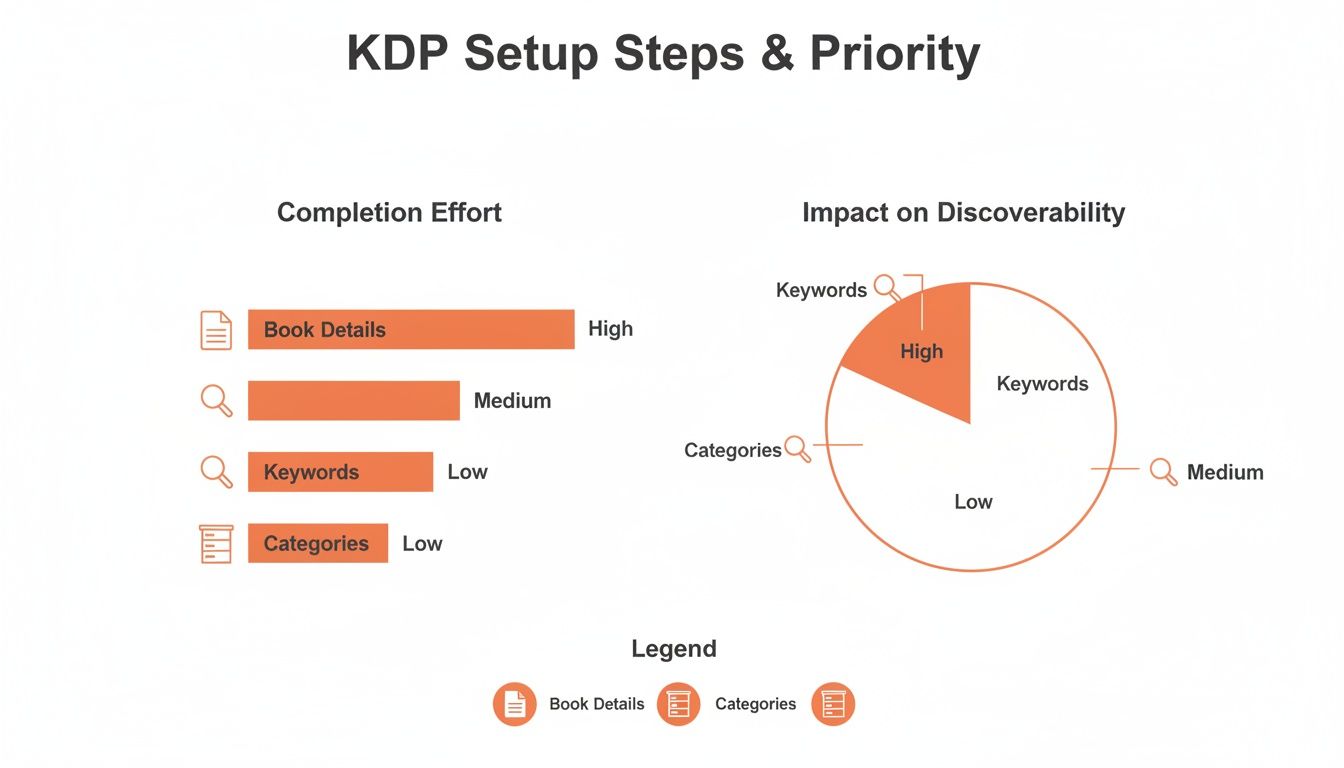
While providing core Book Details is a necessary first step, your choices in Keywords and Categories have a much greater impact on whether readers find your book.
Calculating Paperback Costs and Royalties
Pricing a physical book works differently. You do not receive a simple percentage of the list price. Instead, your royalty is what is left after Amazon deducts the cost to print the book.
The formula is:
Paperback Royalty = (List Price x 60%) - Print Cost
The print cost depends on three factors:
Trim Size: The physical dimensions of your book.
Page Count: More pages cost more to print.
Ink Type: Black and white vs. premium color interior.
For example, a standard 300-page, 6x9 inch black-and-white paperback costs approximately $4.45 to print. If you set the list price at $14.99, your royalty per sale would be: ($14.99 x 60%) - $4.45 = $8.99 - $4.45 = $4.54 per sale.
KDP provides a built-in calculator to determine your exact print cost and the minimum required list price. To explore how different prices and formats affect your earnings, you can also use our comprehensive Kindle Direct Publishing royalty calculator.
Using Dynamic Pricing to Drive Growth
Your book's price should not be a "set it and forget it" decision. Experienced authors treat pricing as a flexible tool that can be adjusted over time.
A common launch strategy is to price your ebook low—for example, $0.99 or $1.99—for the first week. This encourages early sales, which can generate reviews and boost your book's ranking on Amazon's charts. Once you have built initial momentum, you can raise the price to a more profitable level.
If you enroll your ebook in KDP Select, which grants Amazon 90 days of digital exclusivity, you gain access to powerful promotional tools. One of the most effective is the Kindle Countdown Deal. This allows you to run a timed discount on your book for up to seven days, complete with a countdown timer on the product page that creates a sense of urgency. It's a very effective way to generate a new sales spike long after your initial launch.
Boosting Discoverability with Amazon SEO and A+ Content
Publishing your book through KDP self-publishing is just the beginning. The next step is to ensure readers can find it. Your book is now on Amazon's vast digital marketplace, and your job is to help it get noticed. This involves actively managing your book's page to improve its search ranking and persuade visitors to make a purchase.
Your book's product page is your most important marketing asset. The two most powerful tools for optimizing it are Amazon Search Engine Optimization (SEO) and A+ Content.
Optimizing Your Book for Amazon's Search Engine
Remember that Amazon is a search engine, similar to Google, but for people who are ready to buy. Readers type what they are looking for into the search bar, and an algorithm determines which books to display. Your objective is to convince that algorithm that your book is the best result for relevant searches.
This involves more than just the keywords you selected during setup. Your book description must be persuasive to human readers while also signaling relevance to Amazon's system.
Here are a few simple but effective strategies:
Incorporate Keywords Naturally: Your book description should read like a compelling summary, not a list of search terms. For example, if your book is a "dystopian sci-fi thriller with a romantic subplot," use that kind of natural phrasing in your description.
Use Basic HTML for Emphasis: Amazon allows some simple HTML tags in your book description. Use tags like
<b>for bold text and<p>for paragraph breaks to make your text easier to read. This helps key selling points stand out.Experiment and Adjust: Your initial keywords and description are not permanent. If your book isn't getting views after a few weeks, it may be a sign that you have targeted the wrong search terms. Tweak your keywords and description, monitor the results, and repeat the process.
Building Trust with Author Central
Your Author Central profile is a free and often underutilized tool for building credibility. It serves as your professional portfolio on Amazon, allowing you to connect all your books, share your background, and present yourself as a legitimate author.
Claiming your books and setting up your profile is a simple process. A complete and polished profile adds a level of professionalism that can give readers more confidence in their purchase.
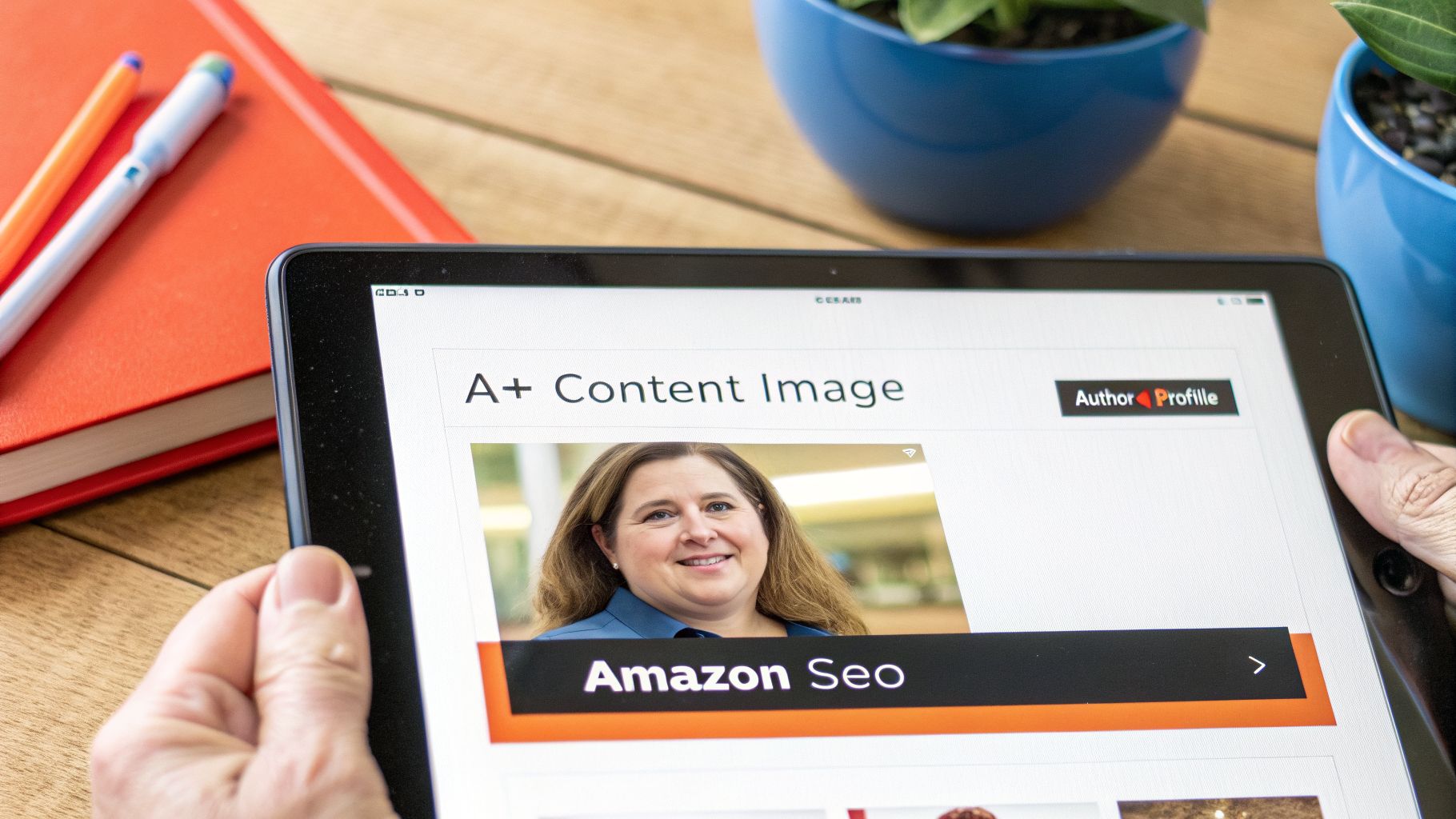
A well-maintained Author Central page is an immediate signal of professionalism. It allows you to add a biography, photos, and even blog posts that link directly from your book's product page, transforming you from just a name on a cover to a real author.
Take the time to fill out every section. Add a professional headshot, write an engaging biography, and link to your author website or social media profiles. Each piece of information helps create a stronger connection with potential readers.
Turning Browsers into Buyers with A+ Content
A+ Content allows you to transform your standard, text-only product page into a visually engaging sales presentation. This feature lets you add custom images, comparison charts, and professionally formatted text modules to the "From the Publisher" section, which replaces the default book description.
Instead of just telling readers about your book, you can show them. It is not surprising that pages with A+ Content can increase conversion rates by up to 10%. They are more engaging and provide a richer shopping experience.
You can use different modules to highlight your book's best features:
Banners: A full-width image can instantly set the tone and genre of your book.
Character Spotlights: Introduce your main characters with images and short descriptions.
World-Building Visuals: If you have a fantasy map or unique technology in your sci-fi novel, show it off.
Comparison Charts: For non-fiction, you can compare concepts or highlight key takeaways from your book.
Author Introduction: Dedicate a module to yourself with a picture and a personal note.
You can create A+ Content directly from your KDP dashboard. Amazon provides pre-designed modules that you can customize with your own images and text. You don't need to be a graphic designer—just have a clear idea of what makes your book special and the visuals to support it.
Marketing Your Book Without a Huge Budget
It is a myth that you need a large marketing budget to successfully sell your book. You do not need an expensive ad agency. A smart strategy, a small, focused budget, and dedicated effort can build significant momentum for your KDP self-publishing career.
The goal is not to achieve a one-day sales spike but to build genuine connections with readers and use Amazon's own tools to your advantage. This approach leads to sustainable, long-term audience growth.
Connecting with Readers Where They Live
Your potential readers are already on social media. The key is to interact with them in a way that provides value, rather than just posting "Buy my book!" messages.
For example, if you write historical fiction, share interesting facts about the era. If you wrote a cookbook, post a short video of you making one of the recipes. This is not just marketing; it's community building. You establish yourself as a knowledgeable and passionate voice in your niche, which naturally makes people curious about your work.
Focus on starting conversations, not just making sales pitches. Engage with other accounts in your genre, participate in relevant discussions, and share content that your ideal reader would find interesting. This is how you build a following that trusts you and, eventually, buys your books.
The Gentle Art of Encouraging Reviews
Early reviews are crucial for a new book on Amazon. They provide "social proof," which signals to both shoppers and Amazon's algorithm that your book is worth considering. Obtaining those first few reviews should be a top priority.
One of the best ways to do this is with an Advanced Reader Copy (ARC) team. This is a small group of fans or genre enthusiasts that you assemble before your book is published. You provide them with a free digital copy of the book, and in return, you hope they will leave an honest review on or shortly after launch day.
Here's how to manage this process correctly:
Build Your Team: Find ARC readers through your email list, social media followers, or reader groups on platforms like Goodreads.
Never Require a Review: When you send the ARC, make it clear that a review is appreciated but not required. Amazon's terms of service prohibit exchanging a free book for a guaranteed review.
Make It Easy: Provide your team with the exact launch date and a direct link to the book's Amazon page. The fewer steps they have to take, the more likely they are to follow through.
Remember, the goal is an honest review, not necessarily a five-star one. A mix of reviews is more believable and authentic to savvy readers.
Your First Low-Cost Amazon Ad Campaign
Amazon Ads can seem intimidating, but they are a direct way to reach people who are actively looking to buy books. You don't need a large budget to start. An investment as small as £5-£10 per day is enough to begin gathering data and generating sales.
The simplest way to start is with a Sponsored Products campaign using automatic targeting. This allows Amazon's algorithm to show your ad to shoppers based on your book's genre and content. Let the campaign run for a week or two, then analyze the report to see which customer search terms are leading to clicks and sales.
With this data, you can launch a manual campaign targeting your top-performing keywords. This gives you more control. For example, if your automatic campaign shows that people bought your book after searching for "cozy mystery with a talking cat," you can create a manual campaign that targets that exact phrase.
Understanding your ad performance is essential. The most important metric is your ACoS (Advertising Cost of Sale). This tells you how much you're spending on ads to generate £1 in sales. If your book's royalty is 70% and your ACoS is 30%, you are making a profit on every sale driven by your ads.
For authors who want to learn more, our guide on getting the most from Amazon Ads for KDP provides a detailed look at setting up your first campaigns.
Common KDP Self Publishing Questions Answered
Many new authors have the same questions when starting with KDP. Here are some straightforward answers to help you move forward with confidence.
How Much Does KDP Self-Publishing Cost?
Listing your book on the KDP platform is free. Amazon does not charge any fees to upload your files or make your book available on its global storefronts.
The actual costs are associated with preparing your book for publication. These professional services are what distinguish a serious project from a hobby:
Editing: This is a crucial step. It can range from a developmental edit to improve the story structure to a final copyedit to catch typos and grammatical errors.
Cover Design: Your cover is your most important marketing asset. A professional design is essential to attract readers.
Interior Formatting: This ensures your book has a clean, professional layout and is easy to read in both digital and print formats.
These pre-production costs can range from a few hundred pounds to several thousand, depending on the freelancers you hire and the complexity of your book. After publishing, you may also have optional expenses, such as running Amazon Ads.
Can I Sell My Book on Other Platforms if I Use KDP?
Yes, you can. The standard KDP agreement is non-exclusive, meaning you retain the rights to your book and can sell it on other platforms. You can have your ebook and paperback on Amazon while also listing them on Apple Books, Kobo, Barnes & Noble, or selling them directly from your author website.
The only exception is if you enroll your ebook in KDP Select. This is an optional program that gives Amazon exclusive digital distribution rights for a 90-day period. In return, your book is included in the Kindle Unlimited (KU) library, and you gain access to powerful promotional tools like Kindle Countdown Deals and Free Book Promotions.
KDP Select is a strategic decision, not a permanent commitment. You must weigh the potential earnings from KU page reads against the benefits of being available on multiple retailers. You can choose to opt in or out of the program every 90 days.
How Do I Get Paid by Amazon?
KDP pays royalties monthly, but with a delay. You will be paid approximately 60 days after the end of the month in which the sales occurred. For example, royalties earned in January will typically be paid at the end of March.
You can choose your payment method based on your location. Direct deposit is the most common option, but wire transfers and checks are also available. Each method has a minimum payment threshold that you must reach before Amazon releases the funds. Your KDP dashboard provides near real-time sales and royalty reports, so you can always track your earnings. If you are looking for a comprehensive guide to the entire publishing process, you can learn more about How to Self-Publish a Book here.
At Cosmy, we provide the AI-driven intelligence you need to optimise your Amazon listings and win in the new era of search. Turn Amazon's opaque algorithm into your competitive advantage by getting started at https://cosmy.ai.