A Practical Guide to Using an Amazon Fulfilment Center
Written by

Cosmy
AI-driven eCommerce Optimization
An Amazon fulfilment center is more than just a massive warehouse. It’s the engine that powers your Fulfilment by Amazon (FBA) business, making two-day shipping a reality for your customers. For sellers, using this network means outsourcing the entire logistics process, from storing products to delivering them to a customer's doorstep.
This allows you to tap into world-class logistics without building your own warehouse, letting you focus on product development and marketing, not packing tape and shipping labels.
What Is the Amazon Fulfilment Center Network?
Think of Amazon's network not as individual warehouses, but as one giant, interconnected machine built to move products from your inventory to a customer's hands as quickly and efficiently as possible. These are not simple storage buildings; they are high-tech hubs of constant activity.
When your products arrive, they are immediately checked in, scanned, and given a specific, tracked location. Amazon's system knows exactly where every single one of your items is at all times.
From Click to Customer
The moment a customer clicks "Buy Now" on your product page, a rapid sequence of events begins, combining robotics and human teams.
Receiving and Sorting: Your inventory is processed upon arrival, checked for compliance with Amazon's rules, and organized.
Storage: Products are stored in a way that makes picking them for an order as fast as possible. For example, a popular item might be stored in multiple locations to reduce travel time for pickers.
Picking and Packing: Once an order is placed, the item is retrieved, securely packed in an Amazon box, and labelled for shipping.
Shipping: The package is sorted by shipping route and carrier, then sent directly to the customer with full tracking.
This entire process means you can sell nationwide, or even globally, without ever touching a box. You are plugging your business into a pre-built, world-class logistics operation. Understanding this system is crucial, as it is a major part of the e-commerce fulfilment landscape.
The most important thing to understand about an Amazon fulfilment center is that it is designed for speed and accuracy. Every process, from how inventory is placed to the paths workers take to retrieve items, is optimized to reduce the time between a customer's click and the package arriving at their door.
Using this network can be a game-changer for growing your brand on Amazon. It removes major operational hurdles, freeing you to focus on what actually grows your business: product development, brand building, and marketing. If you're considering your options, it's wise to compare different Amazon fulfillment companies to see which approach fits your business best. This guide will show you how to make this network work for you.
How Products Move Through an Amazon Fulfilment Center
To use Amazon's logistics effectively, you need to understand both sides of the process. There's the inbound flow—getting your products into the warehouse—and the outbound flow, which is the process of getting those products to your customer. Getting the inbound part right is critical for a smooth operation.
It all starts in your Amazon Seller Central account when you create a shipping plan. This is not just administrative work; it's a digital instruction manual that tells Amazon exactly what products are coming, in what quantity, and how they are packed. A correct shipping plan helps you avoid most of the common and frustrating receiving problems.
The entire system, from the moment your inventory arrives to the second it leaves for a customer, follows a simple but highly refined three-step process.
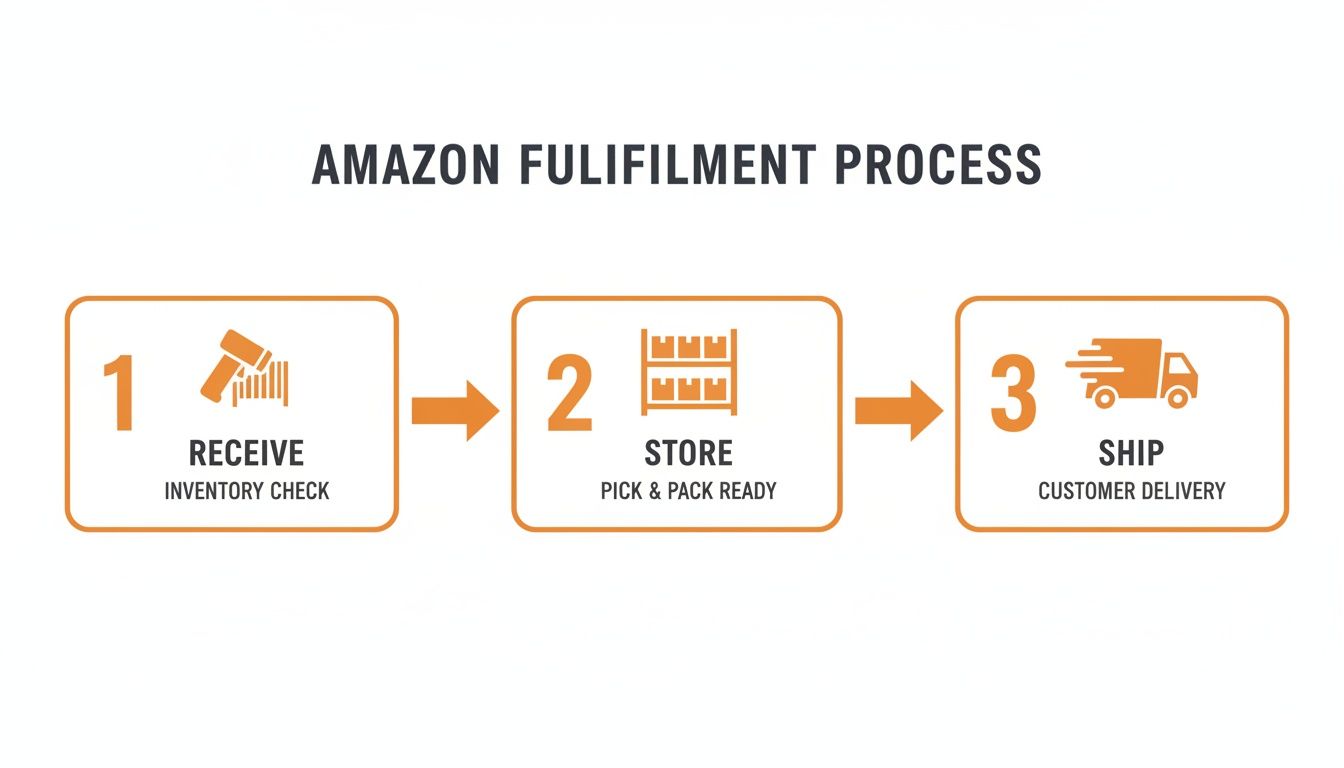
This process is the core of FBA: receive, securely store, and rapidly ship.
The Inbound Journey: Your Product's First Steps
Once your shipping plan is created, the physical preparation begins. Every single item you send needs its own unique barcode so Amazon’s system can track it. This is your FNSKU (Fulfilment Network Stock Keeping Unit) barcode.
Labeling must be perfect. For example, if you’re selling a three-pack of kitchen spatulas, that bundle needs one FNSKU label and a "Sold as a Set" label. If you forget the "Sold as a Set" label, a warehouse worker might open the bundle and ship only one spatula, leading to incorrect orders and unhappy customers.
After labelling your items, you pack them into shipping boxes. Seller Central will then generate specific labels for each box. These are essential. They tell the receiving team what’s inside each box without having to open it, which is crucial for getting your inventory checked in quickly.
A common mistake sellers make is treating inbound preparation as an afterthought. One wrong label or a shipping plan that doesn't match the physical boxes can leave your inventory "stranded"—sitting in the warehouse but unavailable for sale until you log in and fix the issue.
From Storage to Shipping: The Outbound Sprint
The outbound process is where Amazon's well-known efficiency comes into play. The moment a customer clicks "Buy Now," an advanced system finds your product's exact location within a warehouse that can be over a million square feet.
The scale of these operations is immense. Amazon has grown significantly from its first 93,000 sq ft sites in 1997. In the IT region alone, the network has expanded to over 141 sites, including Hyderabad’s 3 million sq ft robotics-powered center. For more on the global scale, you can view Amazon's distribution network data on Statista.
Inside modern fulfilment centers, you'll find fleets of robots. Machines like the Hercules Kiva units move across floors marked with QR codes, carrying entire pods of inventory weighing up to 2,000 lbs at speeds four times faster than a person walking. This automation has reduced some fulfilment times by as much as 75%.
A robotic drive or a human worker—a "picker"—is sent to retrieve your item. From there, it’s taken to a packing station and scanned again.
At the packing station, a "packer" places the item into the correct-sized Amazon box, adds protective material, and seals it. A shipping label is instantly printed and applied, and the package joins thousands of others on a conveyor belt, where it's sorted and routed to the right delivery truck. It's a highly synchronized process involving both people and machines, all designed for one goal: getting your product to the customer’s doorstep on time.
Breaking Down Your FBA Fees and Costs
Using an Amazon fulfilment center is a powerful tool, but it comes with costs. Understanding exactly what you’re paying for is the first step toward building a profitable FBA business. The fees are like a menu of services. You pay for what you use—from an Amazon employee picking an item off a shelf to the physical space your products occupy.
For any brand selling on Amazon, managing these costs is essential. A small miscalculation can erase your profit margins, turning a successful-looking product into a money-losing one. Let's break down the main charges you will encounter.
The two main fees are Fulfilment Fees and Monthly Inventory Storage Fees. These are the core of your FBA expenses.
Core FBA Fees Explained
Fulfilment Fees are what Amazon charges to get your product from their shelf to your customer's door. This single, per-item fee covers the entire outbound process: an employee picking your product, packing it securely, and shipping it. The cost varies based on two factors:
Product Size Tier: Amazon categorizes products into different sizes, such as "small standard" or "large bulky."
Shipping Weight: The heavier the item, the more you pay to ship it.
Next, you have Monthly Inventory Storage Fees. This is the rent you pay for the space your products occupy inside an Amazon fulfilment center. It’s calculated based on the daily average volume (in cubic metres) of your inventory.
The key takeaway is that both size and time matter. A small, fast-selling product will have very low storage costs. A large, slow-moving item can become very expensive to store.
This fee also changes seasonally. Storage is more expensive during the peak holiday shopping season from October to December. This is an important detail to remember when planning your inventory for the end of the year. You can learn more about managing inventory and sales in our complete guide to Fulfilling by Amazon.
Other Potential Costs to Watch
Besides the main two, other fees can appear on your statement, usually depending on how you manage your inventory. Ignoring these can lead to surprise costs that reduce your profit.
One of the most significant is the Long-Term Storage Fee. If your inventory sits in a fulfilment center for too long (typically over 180 days), Amazon charges an extra fee on top of your regular monthly storage cost. This is their way of encouraging sellers to avoid using their warehouses to store products that aren't selling.
Other common fees include:
Removal Order Fees: If you need to pull inventory out of an Amazon warehouse, either to dispose of it or have it sent back to you, there’s a per-item charge.
Returns Processing Fees: For categories where Amazon offers customers free return shipping (like clothing or shoes), you are charged a fee for each returned item.
Unplanned Prep Fees: If you send products to a fulfilment center without the right labels or packaging, Amazon will fix the issue for you, but they will charge a per-item service fee for the work.
A Practical Fee Calculation Example
Let's make this clear with an example. Imagine you're selling a set of stainless steel kitchen utensils. Here’s a simplified breakdown of how the fees might look.
Example Amazon FBA Fee Calculation (Standard-Size Item)
This table shows the potential monthly costs for a hypothetical product, helping you see how different fees contribute to your total FBA expense.
Fee Type | Calculation Basis | Example Cost (EUR) |
|---|---|---|
FBA Fulfilment Fee | Standard-size, weighing 0.4 kg | €3.86 per unit sold |
Monthly Storage Fee | 0.003 cubic metres per unit (Jan-Sep) | €0.02 per unit per month |
Monthly Storage Fee | 0.003 cubic metres per unit (Oct-Dec) | €0.03 per unit per month |
Long-Term Storage Fee | If unsold after 180 days | €0.15+ per unit per month |
In this scenario, every time you sell one set of utensils, it costs you €3.86 in fulfilment fees. If that unit sits in the warehouse for one month during the non-peak season, it adds another €0.02 in storage costs, bringing your total to €3.88.
But if you have 100 units that don't sell for six months, those storage fees start to add up, and the long-term storage fees will begin. This simple example shows why forecasting sales and how long your products will be stored is critical for pricing your products correctly and protecting your profit.
Getting Your Products Ready for Amazon FBA
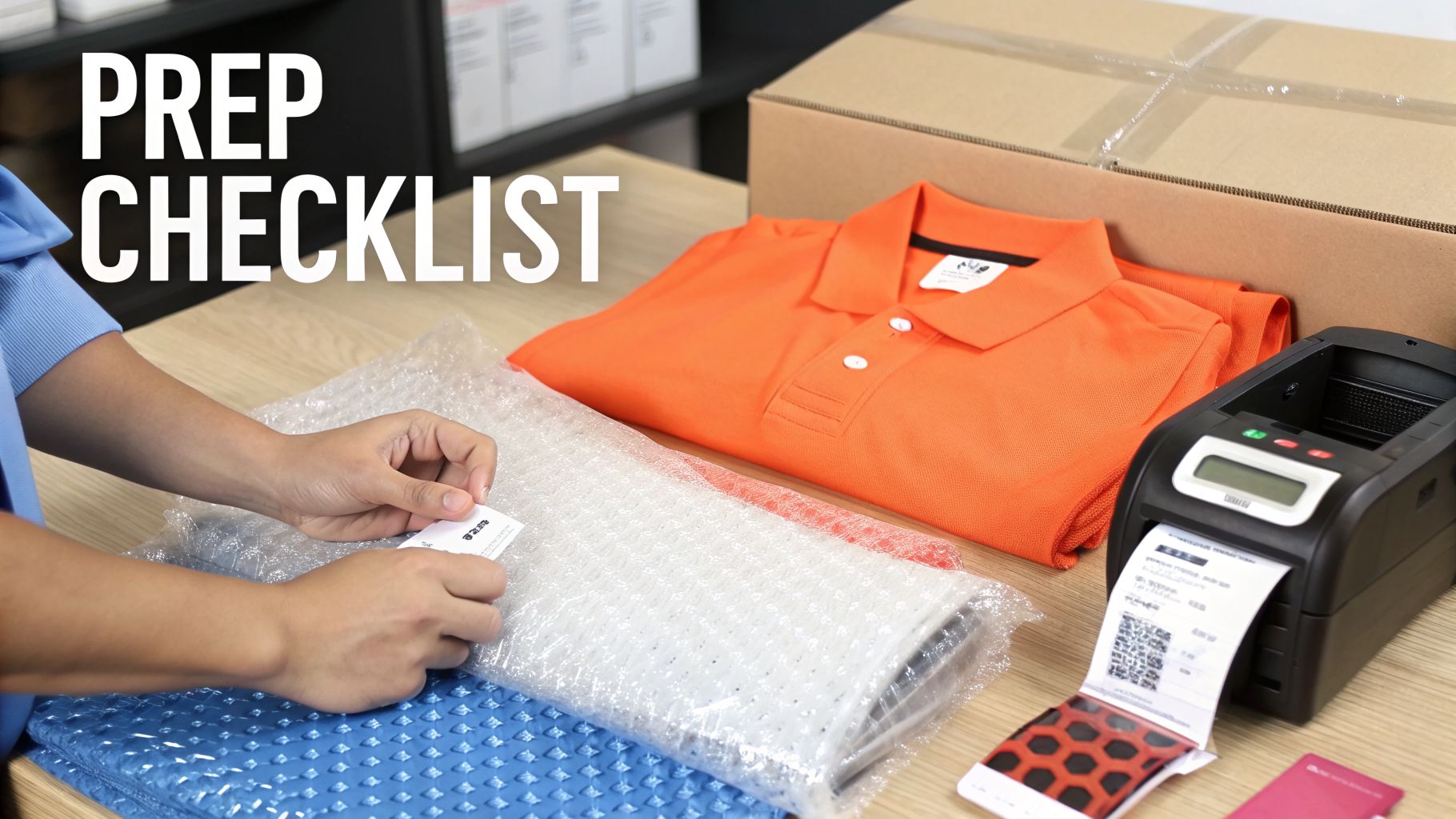
Getting your products into an Amazon fulfilment center is one thing; getting them checked in and available for sale without problems is another. This is where product preparation, or "prep," is essential. It’s a step that can make or break your initial FBA experience.
Amazon’s warehouses are highly automated, and this automation depends on precision. Every item must be packaged and labelled according to their strict rules. If you make a mistake, you can face delays, unplanned fees, or even have your shipment rejected. It's your responsibility to get it right, whether you do it yourself or pay a third-party service.
Choosing Your Product Barcode: FNSKU vs. UPC
Every single item you send to Amazon needs a scannable barcode. This is not optional. You have two choices: use the manufacturer's barcode (like a UPC or EAN) or use Amazon’s own FNSKU barcode. This decision has significant implications for your brand and inventory control.
Using a manufacturer barcode places your products into what Amazon calls commingled inventory. This means your items are stored on the same shelf as identical products from other sellers. When a customer buys from you, Amazon might simply grab the unit closest to them, even if it originally came from a different seller.
The alternative is using an FNSKU (Fulfilment Network Stock Keeping Unit). This is a barcode unique to your seller account and your specific product. It acts like a fingerprint, ensuring your inventory is always kept separate. If you are building a private-label brand, use custom packaging, or want to guarantee the quality of every item shipped to your customers, using an FNSKU is the best choice.
For most brands building a reputation on Amazon, using the FNSKU is the recommended approach. It guarantees that the exact product you sent to the fulfilment center is the one your customer receives, eliminating any risk of being associated with another seller's counterfeit or damaged goods.
Essential Product Prep Requirements
Beyond the barcode, many products need specific preparation to survive the journey through Amazon's logistics network. These rules are designed to protect your products from dust, damage, and other issues so they arrive at your customer's door in perfect condition.
Skipping these steps is a costly mistake. Amazon will either fix the problem for you and bill you for "unplanned prep services," or they will simply refuse the inventory.
Here are a few of the most common prep requirements:
Poly-Bagging: Items like T-shirts, plush toys, and textiles must be sealed in a transparent poly bag with a suffocation warning. This keeps them clean and contained. The bag must be clear, and the product barcode must be scannable through it.
Bubble Wrapping: Anything fragile, such as glass jars, ceramic mugs, or electronics, needs to be bubble-wrapped. The goal is to ensure it can survive being dropped without breaking. Your barcode still needs to be scannable, so you will either have to apply it to the outside of the bubble wrap or make sure it is visible underneath.
"Sold as a Set" Labels: If you're selling a bundle, like a shampoo and conditioner pack, you must package them together and place a bright "Sold as a Set - Do Not Separate" label on the outside. This clearly tells the warehouse team not to break your bundle apart and sell the items individually.
For many sellers, inventory doesn't just come from a local supplier; it comes from across the world. Figuring out how to get your products from the factory to your prep location is a major part of the logistics puzzle. For example, understanding the details of sea freight from China to the USA is critical for managing costs on large shipments. To get a better handle on how all these product identifiers work together, from the factory to the customer, check out our guide on converting global trade numbers to Amazon's system. https://blog.cosmy.ai/asin-to-ean
Optimising Your Inventory for Better Performance
Effective inventory management is where you start using logistics as a competitive advantage instead of just a cost. It's not only about having enough stock. A smart strategy means actively managing every unit to improve your standing with Amazon and, in turn, reach more customers.
This all comes down to one key metric: the Inventory Performance Index (IPI) score. Think of your IPI score as your FBA credit score. It's a single number, from 0 to 1,000, that shows Amazon how well you are managing the warehouse space you occupy.
A high score tells Amazon you’re a responsible and efficient seller. As a reward, they may offer you lower storage fees and, most importantly, unlimited storage capacity. A low score, however, can result in strict storage limits. This can prevent you from sending in enough stock, especially during important sales periods like the fourth quarter (Q4).
Improving Your Inventory Performance Index Score
Amazon calculates your IPI score using several factors, but they all measure how well you balance your inventory supply with customer demand. The target number is 400. Anything above that is considered healthy. Your goal is to keep your products moving.
To raise your score, focus on these four areas:
Boost Your Sell-Through Rate: This is your sales over the last 90 days divided by your average inventory on hand. To improve this, you can run promotions, use Amazon Ads, or bundle slow-moving items with bestsellers.
Fix Stranded Inventory: This is inventory sitting in a fulfilment center but is not available for sale due to a listing problem. It negatively impacts your IPI. Check the "Fix stranded inventory" page in Seller Central daily and resolve these issues right away.
Manage Excess Inventory: Don't let products sit and collect dust. If something isn't selling, it is almost always better to create a removal order or run a deep discount than to let it lower your IPI score and incur long-term storage fees.
Keep Popular Items in Stock: Running out of stock on a bestseller is not just lost revenue; it's also a direct negative hit to your IPI score. Use Amazon’s forecasting tools and be proactive with replenishing your stock.
Think of your inventory like produce in a grocery store. The goal is to sell it while it’s fresh. Old, stagnant inventory takes up valuable shelf space and eventually costs you money, damaging your reputation with the store manager—in this case, Amazon.
The Strategic Balance of Stock Levels
Managing inventory in an Amazon fulfilment center is a constant balancing act.
On one side, you have the risk of stockouts. When your product becomes unavailable, you don't just lose an immediate sale. Your sales velocity drops, your search ranking can fall, and it can take weeks of effort to regain the momentum you lost.
On the other side is overstocking. Sending in too much product ties up your cash and starts a countdown to increasing monthly storage fees. Worse, once your inventory sits for more than 180 days, you will be charged significant long-term storage fees that can eliminate your profit margins.
Finding the right balance between these two extremes requires accurate forecasting and a deep understanding of your sales cycles.
Using Inventory Placement as a Strategic Advantage
Here’s an insight many sellers overlook: Amazon's inventory placement is not just a logistical process; it's a signal for product discoverability. Amazon’s system is designed to place products as close as possible to where it predicts customer demand will be. This reduces shipping times and costs, which creates a better experience for the customer.
As a result, having your inventory strategically positioned in fulfilment centers near high-demand regions can directly impact your product's visibility. Amazon’s algorithm rewards products that can be delivered faster, often giving them a slight boost in search results for customers in those areas.
This is especially true in densely populated areas with many Amazon facilities. For example, in the Information Technology (IT) region of India, Amazon has aggressively expanded its network to over 141 current and planned logistics sites. Some brands using advanced analytics have found that the Hyderabad fulfilment center processes electronics at 20-30% higher volumes than average. By matching local shopper searches to these high-volume hubs, some brands have seen their conversion rates increase by 25-40% in a single month. You can find out more about Amazon's network expansion on mwpvl.com.
While standard FBA doesn't let you choose your fulfilment centers, you're not powerless. By using modern analytics to understand where your customers are, you can align your marketing and advertising to gain a powerful, localized advantage. This turns inventory placement from a passive cost into an active tool for boosting sales.
Common Amazon Fulfilment Center Mistakes to Avoid

The Amazon fulfilment network is a powerful engine for growth, but it's also very strict. Small, seemingly minor errors can lead to thousands of dollars in fees, lost sales, and a drop in your Best Seller Rank.
Even experienced sellers can be caught off guard by the system's complexities. The difference between a smooth operation and a logistical problem often comes down to avoiding a few common and costly mistakes. Here are the ones that most often cause problems for sellers.
Mismanaging Inbound Shipments
This is the most frequent—and most avoidable—costly error. It happens when sellers send physical inventory to an Amazon fulfilment center without a perfectly matching shipping plan in Seller Central.
Imagine sending boxes into a vast, automated system. If the digital information doesn't exactly match the physical shipment, the entire receiving process stops. Your products end up in a problem-solving queue and can be unavailable for sale for days or even weeks.
Your shipping plan is your inventory’s passport. Without a complete and accurate plan, your products can't be processed into the fulfilment center. They are left in limbo while your competitors are making sales.
Before any shipment leaves your warehouse, triple-check that its physical contents match your digital shipping plan with 100% accuracy.
Applying Incorrect Product Labels
The second most common mistake is improper labelling. The FNSKU barcode is the single most important identifier linking your physical product to your seller account. If you make a mistake here, the consequences are immediate.
When you use the wrong FNSKU, or if the barcode is smudged, poorly printed, or unscannable, Amazon's scanners cannot identify the product. This results in stranded inventory.
These are products that are physically in the warehouse but are digitally invisible and cannot be sold. They just sit there, accumulating storage fees, until you manually go into Seller Central to identify and fix the problem.
To do this, go to the "Manage Inventory" page and find the "Fix stranded inventory" view. Amazon will tell you exactly why each unit is stranded and outline the steps you need to take to make it sellable again.
Ignoring Storage Fee Impact
Sellers often focus on the per-unit fulfilment fees but overlook a quiet profit killer: storage fees. Amazon charges you for every cubic metre your inventory takes up, and these costs can add up quickly, especially for bulky or slow-moving products.
These fees increase during the Q4 peak season (October to December). Even worse, any inventory that remains in a fulfilment center for over 180 days is charged massive Long-Term Storage Fees.
You must treat inventory turnover as a critical performance indicator. Use Amazon's inventory management tools to closely monitor your sell-through rate. Identify your slow-moving products before they become a financial problem.
For products that simply are not selling, it is almost always more profitable to create a removal order and accept the loss than to let storage fees drain your profits month after month.
Frequently Asked Questions About the Amazon Network
Even after you understand the basic workflow of a fulfilment center, practical questions can quickly arise. We often hear the same questions from brands as they move from theory to practice.
Here are straightforward answers to the most common questions we receive, designed to help you make the right decisions for your business.
What Is the Real Difference Between FBA, SFP, and FBM?
This is one of the biggest decisions you'll make on Amazon. Each fulfilment model represents a trade-off between control, cost, and your ability to get the valuable Prime badge.
Fulfilled by Amazon (FBA): This is the classic model discussed in this guide. You ship your inventory to Amazon, and they handle everything—storage, picking, packing, shipping, and customer service. It's the most direct path to getting the Prime badge, but you give up most of the control over the customer experience.
Seller Fulfilled Prime (SFP): This is an advanced option. You ship from your own warehouse but must meet Amazon's strict two-day delivery standards to earn the Prime badge. It gives you much more control, but your logistics must be nearly perfect. This program is available by invitation only to sellers with a proven track record of excellent performance.
Fulfilled by Merchant (FBM): You are responsible for everything. You handle 100% of the storage, packing, and shipping. This model gives you total control and is often the only choice for oversized, heavy, or specialized items. The downside is that it's very difficult to compete on shipping speed, and you will not have the Prime badge.
How Does Amazon Handle Customer Returns?
When a customer returns an FBA order, the process is almost entirely handled by Amazon. The customer does not ship the product back to you; they send it to one of Amazon's dedicated returns centers.
Once it arrives, an Amazon employee inspects the item and determines its condition.
If the item is unopened and in new condition, it is put back into your sellable inventory. However, if the packaging is opened or there is minor damage, it is marked as "unsellable." At that point, you have a choice: create a removal order to have it sent back to you for inspection, or pay Amazon a fee to dispose of it.
Can I Choose Which Fulfilment Centre My Inventory Goes To?
For standard FBA, the short answer is no. When you create a shipping plan, Amazon's system decides exactly where your inventory needs to be sent. This is not random; it’s a strategic system designed to distribute stock across the network based on where Amazon predicts customer demand will be, all to minimize delivery times.
While you can't just pick a fulfilment center amazon wants you to ship to that's close to your warehouse, there are more advanced programs for larger sellers. Services like Amazon Warehousing & Distribution (AWD) let you store goods in bulk facilities, which then automatically send inventory to the main FBA centers as needed. For most sellers, however, you must follow the shipping plan that Amazon provides.
Are you ready to stop guessing how Amazon's AI sees your products? Cosmy provides the data-backed intelligence you need to optimise your content and boost discoverability. Get your free audit and turn Amazon’s complex ecosystem into your competitive advantage. Start winning at https://cosmy.ai.