Unlocking Your Amazon ASIN: A Guide for Sellers

Written by

Cosmy
AI-driven eCommerce Optimization
An ASIN, or Amazon Standard Identification Number, is a unique 10-character code assigned to every product in Amazon's massive catalog. It's made up of letters and numbers.
Think of it as a product's fingerprint. No two items share the same one, making it the official identifier for sellers, brand managers, and Amazon's internal systems. Understanding and using this codice ASIN Amazon is essential for anyone selling on the platform.
What is an Amazon ASIN?
Every item you see on Amazon has an ASIN. This code acts as the central hub that connects every piece of information about your product into a single, organized package.
It's the foundation for your entire presence on the platform. It links all the critical parts of your listing together, ensuring that when a customer lands on your page, they see the correct title, images, and description.
What an ASIN Controls
The ASIN is the anchor for all your product data. It holds everything together within Amazon's complex system.
Here’s a simple breakdown of what it connects:
Product Details: Your title, brand name, bullet points, and the full description.
Images and Media: Every product photo and piece of A+ Content is mapped to a specific ASIN.
Inventory: It’s how Amazon’s warehouses track your stock levels accurately.
Customer Feedback: Each review and star rating is linked directly to the ASIN of the product purchased.
Keywords: The keywords you target are indexed against this unique ID, telling Amazon when your product is relevant to a customer's search.
If these elements get disconnected from their ASIN, your listing can break. You might end up with inaccurate product information, lost inventory, or your product could become invisible in search results.
When a shopper searches on Amazon, the A9 algorithm doesn't just look for keywords; it retrieves and ranks ASINs based on the relevance and quality of the data attached to them. An ASIN is the language of Amazon's search engine.
This simple code also prevents the catalog from becoming a mess of duplicate listings, which would confuse customers and split your sales history and reviews. By making sure each unique product has a single ASIN, Amazon keeps its marketplace organized. For any seller, managing your codice ASIN Amazon correctly is the first step to getting found and chosen by customers.
How to Find the ASIN for Any Product
Knowing how to find a product's ASIN is a fundamental skill for selling or advertising on Amazon. It's the unique serial number for every item in the catalog. Luckily, this isn't a hidden code; it's publicly available and easy to find.
Learning these methods allows your team to quickly gather the information needed for competitor research, inventory checks, and optimizing your product pages.
The codice ASIN Amazon connects a physical product to its entire online history—its sales data, market position, and customer feedback are all tied to this one identifier.
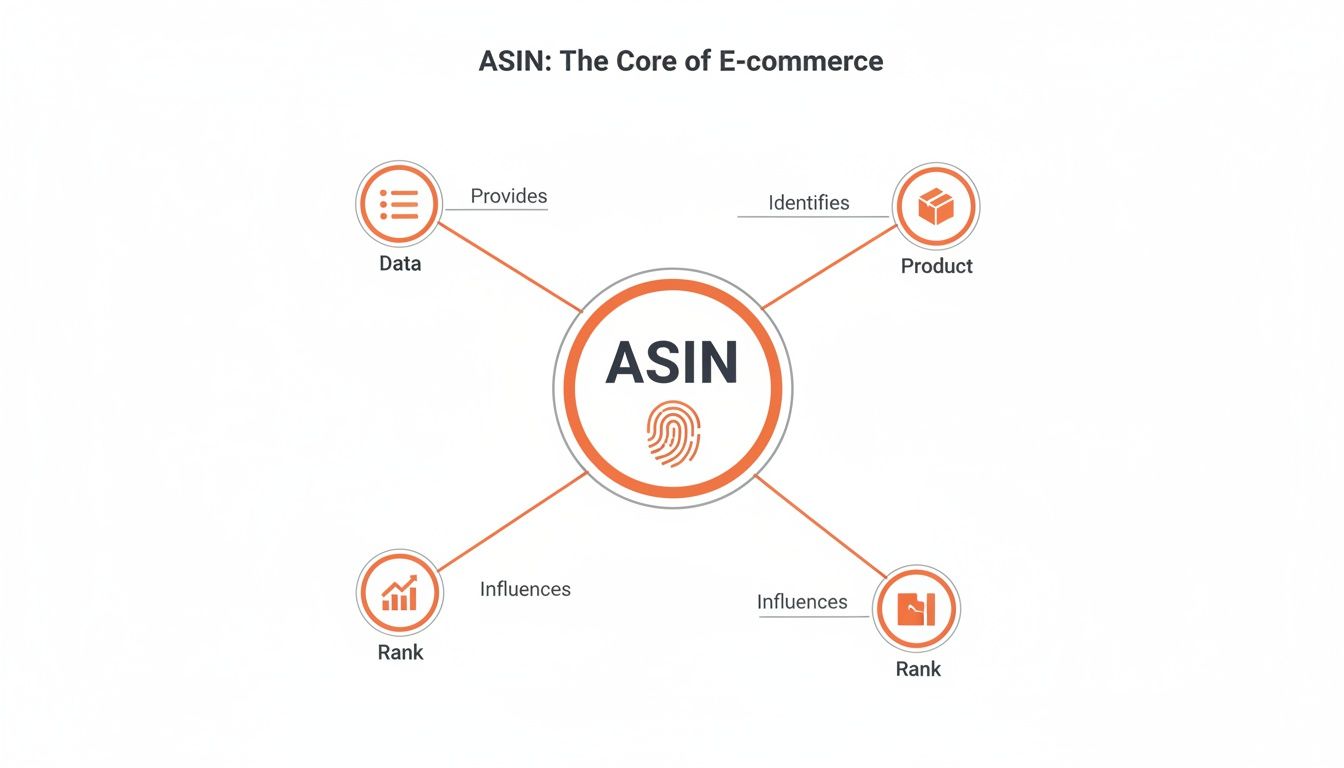
As you can see, the ASIN is central to everything. It links the product to its performance data and search rank within the Amazon ecosystem.
Finding an ASIN is straightforward. There are a few different ways to locate it, each suited to different tasks. This table breaks down the most common methods so you can choose the right one for the job.
Where to Find Your Amazon ASIN
Method | Location | Best For | Difficulty Level |
|---|---|---|---|
Product Page URL | In the browser's address bar, after | Quickly grabbing a single ASIN for research or use in a tool. | Easy |
Product Information Section | Scroll down the product page to "Product Information" | Confirming an ASIN alongside other details like weight and dimensions. | Easy |
Seller Central Report | Inventory Reports > Active Listings Report | Downloading all your ASINs in bulk for internal audits. | Intermediate |
Amazon APIs | Programmatic access via API endpoints | Automating large-scale data retrieval for custom software. | Advanced |
Whether you need one ASIN or ten thousand, there's a simple way to get it. Here’s how each method works.
Method 1: On the Product Page
This is the fastest and most common way to find an ASIN. You don't need any special access—just a web browser.
You have two options right on the product detail page:
Look in the URL: This is the quickest way. Glance at the browser's address bar. The ASIN is the 10-character code, usually starting with "B0", that appears right after /dp/. You can copy it directly from there.
Example: For the URL
amazon.com/dp/B07VGRJDFY, the ASIN isB07VGRJDFY.
Check the Product Information Section: If you prefer, scroll down the page until you find a section labeled "Product Information" or "Additional Information." Amazon always lists the ASIN clearly here, along with other specifications like the item's weight, dimensions, and model number.
Method 2: Use Seller Central for Bulk Retrieval
Finding ASINs one by one is inefficient if you manage a large catalog. For sellers with a Seller Central account, there's a much better way.
You can download a complete inventory report that lists the ASIN for every product you sell.
Log in to your Seller Central account and navigate to the "Reports" tab.
From the dropdown, select "Inventory Reports."
Choose the "Active Listings Report" (or a similar inventory file).
Download the report, which will be a spreadsheet.
Inside that spreadsheet, you'll find a column with the ASIN for every item in your catalog, neatly organized next to your SKUs, prices, and stock levels. This is the best method for internal audits or when you need to provide a full product list to a software partner or marketing agency.
Method 3: Access ASINs Programmatically via API
For developers, agencies, or any business needing to pull ASIN data at scale, the most efficient approach is to use Amazon's APIs. This method allows your software to request product information automatically, including ASINs, without any manual work.
The Amazon Product Advertising API and the Selling Partner API are the primary tools for this. This method is ideal for building custom tools, integrating Amazon data into your business dashboards, or automating competitor tracking.
Why Your ASIN Is Key to Amazon SEO
Many sellers view the ASIN as just another product code for tracking inventory. This is a mistake. Your codice ASIN Amazon is the core of your search strategy on the platform. It's not just a label; it’s the anchor for everything that helps your product get seen and sold.
Think of your product listing as a collection of different documents: a title, bullet points, a description, backend keywords, and A+ Content. The ASIN is the file folder that holds them all together.
When a customer searches on Amazon, the A9 algorithm pulls up the ASINs it believes are relevant. Then, it evaluates the content inside each ASIN's "folder" to decide how to rank your product.
The ASIN as a Data Hub for Search
Optimizing your listing isn't just about changing text. It's about feeding better data into your ASIN's profile. Every improvement—from clarifying a bullet point to adding a more specific backend keyword—strengthens the information tied to that ASIN. This is how you teach the A9 algorithm what your product is and who it’s for.
A weak content profile means your ASIN is invisible, no matter how good the product is. A strong, well-managed one gets you to the top of search results.
This is especially true in competitive markets. With millions of active sellers on Amazon, simply having a listing isn't enough. A powerful, content-rich ASIN is necessary for any brand that wants to stand out.
Amazon SEO is about building a complete and relevant data package for every ASIN. Your job is to make it easy for Amazon’s algorithm to see your product as the best answer to a shopper's search.
How AI Relies on Your ASIN
The ASIN's role is growing as Amazon incorporates more AI into the shopping experience. New tools, like the AI shopping assistant Rufus, go beyond simple keywords. They analyze all the data tied to an ASIN to answer complex customer questions and make recommendations.
For example, if a shopper asks, "Which of these coffee makers is easiest to clean?" the AI will scan the descriptions, reviews, and Q&A sections linked to all relevant ASINs to find the answer.
If that information isn't clearly available in your ASIN's data package, your product won't be considered. A well-optimized ASIN provides these AI systems with the exact information they need to recommend your product. To understand the strategic importance of this, it's helpful to read a guide to the digital shelf for retailers.
Using Competitor ASINs to Gain an Edge
Every competitor's product listing is a public blueprint of their strategy, and the key to understanding it is their codice ASIN Amazon. This simple code is more than an inventory number; it’s a direct link to valuable market intelligence. By analyzing a competitor's ASINs, you can reverse-engineer their success and identify opportunities they may have missed.
Instead of guessing what works, you can use their ASIN to see the exact keywords driving their sales, learn from customer complaints, and track their pricing strategies. This turns the ASIN from a simple product marker into a powerful competitive analysis tool.

Uncover High-Value Keywords
One of the most effective ways to use a competitor’s ASIN is for keyword research. Specialized tools allow you to perform a "reverse ASIN lookup." You enter the competitor's ASIN, and the tool provides a list of the organic and paid keywords that product is ranking for.
This shows you the precise phrases that are already proven to attract buyers for that specific product. By identifying these high-converting keywords, you can incorporate them into your own product title, bullet points, and backend search terms to capture some of that traffic.
Find Market Gaps in Customer Reviews
Customer reviews offer unfiltered feedback, all organized under the ASIN. Go to a top competitor's product page and analyze their negative reviews. Filter specifically for their one and two-star ratings.
By studying what customers complain about, you can pinpoint product weaknesses or missing features. This feedback provides a direct guide for improving your own product or highlighting its superior features in your listing.
For example, if customers constantly complain that a competitor's product is difficult to assemble, you can create a clear instructional video and feature it in your A+ Content. Their weakness becomes your competitive advantage. To speed up this kind of data gathering, consider a tool like the Amazon Quick View extension for Chrome.
Monitor Pricing and Sales Strategies
An ASIN allows you to track a competitor's product over time. By monitoring their listing, you can see how they react to market changes.
Here are a few things to watch:
Price Fluctuations: Do they lower prices during holidays or sales events like Prime Day?
Stock Levels: Are they frequently out of stock? This could indicate high demand or poor inventory management.
Listing Changes: Have they recently updated their main image or title? This often signals a response to new competition.
This information helps you anticipate their moves and make smarter decisions about your own pricing and promotions. Instead of just reacting, you can proactively shape your strategy based on what your rivals are doing.
Optimizing Your Listing at the ASIN Level
Once you understand that the ASIN is the foundation of your product on Amazon, the next step is to build upon it. Optimizing your listing means enriching all the content tied to your unique codice ASIN Amazon. This isn’t a technical task; it's how you communicate your product's value to both customers and Amazon's A9 search algorithm.
The goal is to create a complete, persuasive, and data-rich profile for your ASIN. This includes everything from the title and bullet points to the product description and A+ Content. Each element should be crafted to answer customer questions, highlight key benefits, and include relevant keywords naturally.
A well-optimized ASIN does more than improve your search ranking. It builds trust and drives sales.

Core Components of ASIN Content
To get started, focus on the most visible parts of your listing. These elements have the greatest impact on both search performance and the customer's purchase decision.
Product Title: This is your most important piece of text. It should include your brand, the main product type, a key feature, and your primary keyword. Aim for clarity and description, not just a list of search terms.
Good Example: "BrandName Waterproof Hiking Backpack 50L with Rain Cover for Camping & Travel"
Bullet Points: Use these to explain the benefits mentioned in the title. Each bullet point should solve a problem for the customer or highlight a specific advantage. Think of them as five short sales pitches.
Product Description: This is your chance to tell a more detailed story. Use this space to address potential concerns, provide use cases, and list important specifications.
A+ Content: For sellers in the Brand Registry, A+ Content is essential. Use high-quality images, comparison charts, and formatted text to visually showcase your product's value and differentiate it from competitors.
Tailoring Content for Your Market
Success on Amazon requires understanding how local customers shop. Different markets have unique demand patterns and competitive pressures. A one-size-fits-all content strategy rarely works.
Real success requires ASIN-level intelligence that reveals how Amazon’s systems rank and recommend products within each specific category. You can't just guess; you need data.
A truly optimized listing speaks directly to its target audience. It uses their language, addresses their specific concerns, and aligns with local search trends. This tailored approach turns a good listing into a great one.
Ultimately, every piece of content you create should have a purpose. By strategically building out the content associated with your ASIN, you create a powerful asset that works for your business 24/7.
For more ideas on how to discover what customers are searching for, you might be interested in a tool like the Amazon suggestion expander tool.
Turning ASIN Data into Actionable Insights
Looking at a codice ASIN Amazon on a spreadsheet provides limited information. To succeed on Amazon today, you need to move beyond manual checks and adopt an automated, AI-driven approach that provides a clear, prioritized to-do list.
Modern platforms use the ASIN as the key to a deep content audit. The process is simple: you provide your product links, and the system analyzes how Amazon’s algorithms view your listing from the inside out.
From Data to Decisions
The real value isn't in the data itself, but in how you use it. An automated system can instantly identify critical visibility gaps tied to a specific ASIN. It pinpoints exactly which questions from real shoppers your current content fails to answer. This replaces guesswork with a concrete list of content improvements.
For example, imagine a competitor’s product is consistently recommended when a shopper asks "which is best for sensitive skin?", but yours is not. The right tool can tell you why—your listing is missing details on hypoallergenic materials. Suddenly, you have a direct, actionable plan to close that gap.
This approach transforms raw data into a strategic roadmap. Instead of wondering what to fix first, you get a clear, data-backed list of optimizations that address real customer needs and improve your standing with Amazon's AI.
Getting this level of detail right is crucial. With e-commerce constantly growing, products with sharp, optimized ASINs and content strategies are best positioned to capture a piece of that growth.
Gaining a Competitive Advantage
Using AI-driven audits gives you a significant edge. When you understand exactly how Amazon’s systems connect shopper questions to your ASIN’s content, you can make targeted improvements that directly boost performance.
This isn't just about a one-time insight; it's about creating a repeatable process for staying visible and relevant over the long term. To round out your strategy, it's worth looking into the best geo tools for Amazon sellers to further refine your approach.
Got Questions About Amazon ASINs?
Even after you understand what an ASIN (codice ASIN Amazon) is, a few practical questions often arise. Here are straightforward answers to the most common queries from sellers and brand managers.
Can I Change My Product's ASIN?
No. Once an ASIN is assigned by Amazon, it's permanent. Think of it as your product's social security number within the Amazon ecosystem—it cannot be changed.
If you make a significant change to your product, like creating a new multipack or launching a redesigned version, you will need to create a new listing. Amazon will then issue a new ASIN for that new item.
What's the Difference Between an ASIN and an EAN?
This is a common point of confusion, but the distinction is simple:
An EAN (or UPC) is the global barcode for your product. It’s recognized by retailers everywhere, from local stores to online shops worldwide. It is the number you typically see under a barcode.
An ASIN is Amazon's internal catalog number for that same product.
When you create a new product page, you provide the universal EAN. In return, Amazon assigns it a unique ASIN for use exclusively on its marketplace.
Think of it this way: the EAN is your product's global passport, while the ASIN is its specific visa for entering and operating within the Amazon marketplace. One is universal, the other is platform-specific, but they both identify the same item.
Do Product Variations Have the Same ASIN?
No, and this is a critical detail for every seller. Each specific variation of a product—such as a different color, size, or pack quantity—gets its own unique ASIN. These are often called “child ASINs.”
All these individual child ASINs are then grouped together on a single product page under a non-buyable “parent ASIN.” This structure keeps everything organized, allowing customers to easily select their preferred option from a dropdown menu while consolidating all reviews and product information in one place.
Stop guessing how Amazon's AI sees your products. Cosmy gives you a clear, data-backed audit to diagnose content gaps and provides actionable fixes to improve your visibility and sales. Get started with a free audit at https://cosmy.ai.