A Complete Guide to Amazon PPC Ads for Ecommerce Growth
Written by

Cosmy
AI-driven eCommerce Optimization
Amazon Pay-Per-Click (PPC) is a form of advertising where you pay a small fee to Amazon each time a shopper clicks on your ad. It's a direct way to get your products listed at the top of Amazon's search results, helping you reach customers who are ready to buy. In a marketplace as crowded as Amazon, using PPC ads is one of the quickest ways to drive traffic and increase sales.
What Are Amazon PPC Ads and Why They Matter

Think of Amazon's search results as a busy shopping street. The products you see at the top without an "ad" label earned their spot over time through good sales and positive reviews—this is called an organic ranking. In contrast, Amazon PPC ads are like renting a storefront window right at the street's entrance. You pay to guarantee shoppers see your product first.
This model is effective because you only pay when a potential customer takes an action—clicking your ad. It connects you directly with shoppers who are actively searching for what you sell, letting you bypass the long wait for organic rankings to build up. For new products or brands trying to gain a foothold, this immediate visibility is essential.
The Core Ad Formats
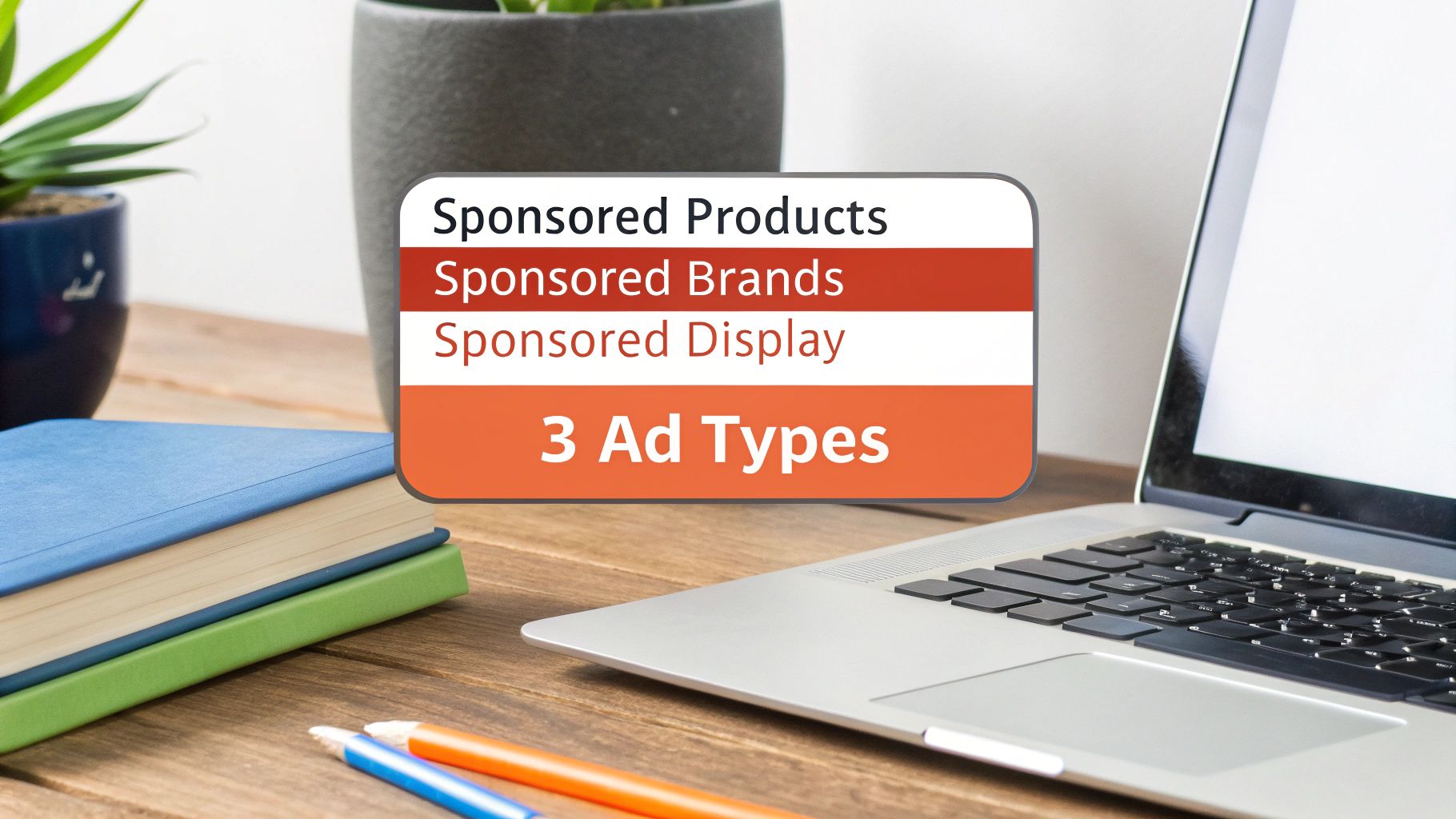
Amazon offers several ad types, but most sellers focus on three main formats. Each serves a different purpose, allowing you to tailor your approach to your specific goals.
Sponsored Products: These are the most common ads on Amazon. They appear directly in search results and on product pages, looking very similar to regular listings. They are perfect for driving sales of specific items.
Sponsored Brands: These are banner ads that appear at the top of the search results page. They feature your brand logo, a custom headline, and several of your products. They are great for building brand awareness.
Sponsored Display: This format lets you retarget shoppers who have viewed your products but didn't buy. Your ads can appear both on and off Amazon, keeping your brand in front of potential customers and encouraging them to complete their purchase.
A well-managed PPC strategy is no longer optional for growth on Amazon. It provides valuable data and sales momentum that benefits your entire business on the platform.
Understanding these ad types is the first step toward building an effective advertising plan. For more detailed examples, this practical guide on advertising on Amazon offers useful insights.
Exploring the Three Main Amazon Ad Formats
Once you understand the value of Amazon PPC, the next step is choosing the right ad format. Amazon provides three main options, each designed for a different outcome. Making the right choice is key to creating a strategy that works without wasting your budget.
Think of it like building a team. You need someone focused on immediate sales, another to build your brand's reputation, and a third to follow up with potential customers who have shown interest. Each role is distinct and important.
Sponsored Products: The Workhorse for Sales
Sponsored Products are the ads you see most often on Amazon. They appear within search results and on product detail pages, looking almost identical to organic listings apart from a small "Sponsored" tag. Their seamless appearance makes them highly effective.
The goal is simple: drive sales for a specific product. If you have a new item to launch or want to boost a bestseller, this is the format to use.
For example, if you sell a new ergonomic office chair, you would use a Sponsored Products ad to ensure your chair appears when a shopper searches for "comfortable desk chair." The ad directs them to that specific product page, with the sole aim of making a sale.
Sponsored Brands: The Billboard for Brand Awareness
While Sponsored Products focus on a single item, Sponsored Brands promote your brand as a whole. These are the large banner ads you see at the very top of search results—prime advertising space.
A Sponsored Brands ad includes your logo, a custom headline, and a collection of your products. When a shopper clicks, they can be taken to your brand's Amazon Storefront, offering a more complete brand experience beyond a single product.
For instance, a skincare company launching a new vitamin C line could run a Sponsored Brands ad with the headline, "Brighten Your Skin with Our New Radiance Collection," showcasing their serum, moisturizer, and cleanser. This not only sells products but also builds brand recognition.
Choosing the right ad format means matching the tool to the goal. Use Sponsored Products for direct sales, Sponsored Brands to build your brand identity, and Sponsored Display to re-engage interested shoppers.
Sponsored Display: The Retargeting Expert
Sponsored Display ads help you stay on the minds of potential customers. This format lets you retarget shoppers who viewed your product but left without making a purchase. Uniquely, these ads can follow potential customers both on and off Amazon.
This means your ad for a high-performance blender could appear while the same shopper is browsing a news website or social media app. It serves as a gentle reminder to return and complete their purchase. This is a powerful way to capture sales from people who were close to buying but got distracted.
Choosing the Right Amazon Ad Format
Deciding where to start can be challenging. This table breaks down which ad type best fits different marketing goals, helping you choose based on what you want to achieve.
Ad Format | Primary Goal | Where It Appears | Best For |
|---|---|---|---|
Sponsored Products | Drive Immediate Sales | Search results, product detail pages | Launching new products, boosting best-sellers, clearing excess inventory. |
Sponsored Brands | Build Brand Awareness | Top of search results, within search results | Showcasing a product line, driving traffic to your Amazon Storefront. |
Sponsored Display | Retarget & Re-engage Shoppers | On & off Amazon (third-party websites/apps) | Recapturing lost sales, cross-selling related items, building loyalty. |
Ultimately, a comprehensive Amazon advertising strategy uses all three formats together. Sponsored Products drive initial sales, Sponsored Brands build a memorable brand, and Sponsored Display ensures no interested shopper is lost.
Setting Up Your First Amazon PPC Campaign
Starting with Amazon PPC can seem complex, but launching your first campaign is more straightforward than it appears. The key is to begin with a clear, organized structure to avoid common and costly mistakes.
You don't need to use every feature at once. Focus on building a solid foundation, one step at a time, starting with which products you want to advertise.
Choosing Your Products and Setting a Budget
First, decide which products to feature. Not every item in your catalog is a good candidate for advertising from the start. A good practice is to begin with products that already sell well on their own.
These are your "retail-ready" items—they have good images, clear descriptions, and positive reviews. Once you've chosen a product, set a daily budget, which is the maximum amount you're willing to spend per day on that campaign. For new sellers, it's wise to start small, such as £20 to £50 per day, to gather data without high risk. You can increase the budget later.
A common mistake is spreading a small budget across too many products. Instead, focus your initial ad spend on one or two of your strongest items to gather meaningful performance data quickly.
This focused approach helps you learn how Amazon PPC ads work without feeling overwhelmed. As you gain confidence, you can expand your advertising to more products.
Automatic vs. Manual Targeting: The Two Paths
Next, you'll choose your targeting strategy. Amazon offers two main options: automatic and manual. Think of it as letting your car's GPS choose the route versus navigating with a map yourself.
Automatic Targeting: This is the simplified option. You set the budget, and Amazon’s algorithm does the initial work. It automatically shows your ad to shoppers based on keywords and products it considers relevant to your listing.
Manual Targeting: With this option, you are in control. You tell Amazon the exact keywords or specific products you want your ad to target. This provides more control but requires more research and management.
For your first campaign, an automatic campaign is almost always the best choice. It's a valuable research tool that lets Amazon identify the actual search terms customers use to find products like yours. After a couple of weeks, you can analyze this data and use the best-performing keywords to launch a more controlled manual campaign. You can find valuable keywords with tools like the Helium 10 Chrome Extension for keyword research.
Structuring Your Campaign with Ad Groups
Within each campaign, you create ad groups. An ad group is a way to organize similar products and their keywords together. A good structure from the beginning is critical for effective management down the line.
For example, if you sell coffee beans, you might create a campaign for "Dark Roast Coffee." Within that campaign, you could have separate ad groups for different types:
Ad Group 1: French Roast Beans (targeting keywords like "dark french roast coffee," "bold coffee beans")
Ad Group 2: Espresso Roast Beans (targeting keywords like "espresso beans," "dark roast for espresso")
This structure ensures your ads are highly relevant to what customers are searching for, which usually leads to a higher click-through rate and better results. It prevents you from showing an ad for French Roast to someone looking for Espresso Roast.
Finally, if you’re running Sponsored Brands or Sponsored Display ads, you’ll need to write the ad copy. Keep it clear, simple, and focused on the customer's main benefit. A strong headline can make the difference between a shopper clicking your ad or scrolling past it. By following these foundational steps, you build a campaign structured for success from day one.
Mastering Bidding Strategies and Budget Management
Once your campaigns are set up, it's time to manage your spending. This is where many sellers struggle, but it comes down to two main things: how much you're willing to pay for a click (your bid) and how much you're willing to spend each day (your budget). Getting this right can lead to profitable campaigns, while getting it wrong can waste money.
Your bid is the maximum price you’ll pay for a single click. Your budget is your daily spending limit. The goal is to make these two work together effectively to create successful Amazon PPC ads.
Choosing Your Bidding Strategy
Amazon offers three bidding strategies, each with a different balance of control and automation. Your choice will determine how aggressively Amazon's system bids for ad placements on your behalf.
Dynamic Bids - Down Only: This is the safest option, especially for beginners. You set a maximum bid, and Amazon will only lower it for clicks that are less likely to result in a sale. It’s a great way to start without the risk of overspending on non-converting clicks.
Dynamic Bids - Up and Down: This strategy allows Amazon to be more aggressive. It can increase your bid (by up to 100%) for top ad placements it thinks will lead to a sale, and lower it when a conversion seems unlikely. You trust the algorithm more here, and your cost-per-click might rise, but the goal is to maximize sales.
Fixed Bids: This is the full manual-control option. Your bid is set and will not be adjusted by Amazon. This strategy is best for experienced sellers who have a lot of data and want to manage every bid with precision.
A smart bidding strategy isn't about spending more; it's about spending smarter. Matching your bidding approach to your campaign goals is key to achieving a good Return on Ad Spend (ROAS).
Managing Your Budget for Maximum Impact
Setting a realistic daily budget is crucial. For popular products, it’s easy to spend your entire budget by mid-morning, making your ads invisible during peak evening shopping hours.
A useful feature to manage this is Intraday Budget Rules. This allows you to control your spending throughout the day. For example, you could limit your ad spend during quiet morning hours when sales are typically low. Then, you can automatically increase your bids and budget during the evening rush—usually between 6 PM and 10 PM—when more shoppers are active. This ensures your money is spent when people are most likely to buy.
The initial setup—choosing a product, setting a budget, and selecting a targeting method—is the foundation for your campaign's success. The flowchart below outlines these first critical steps.
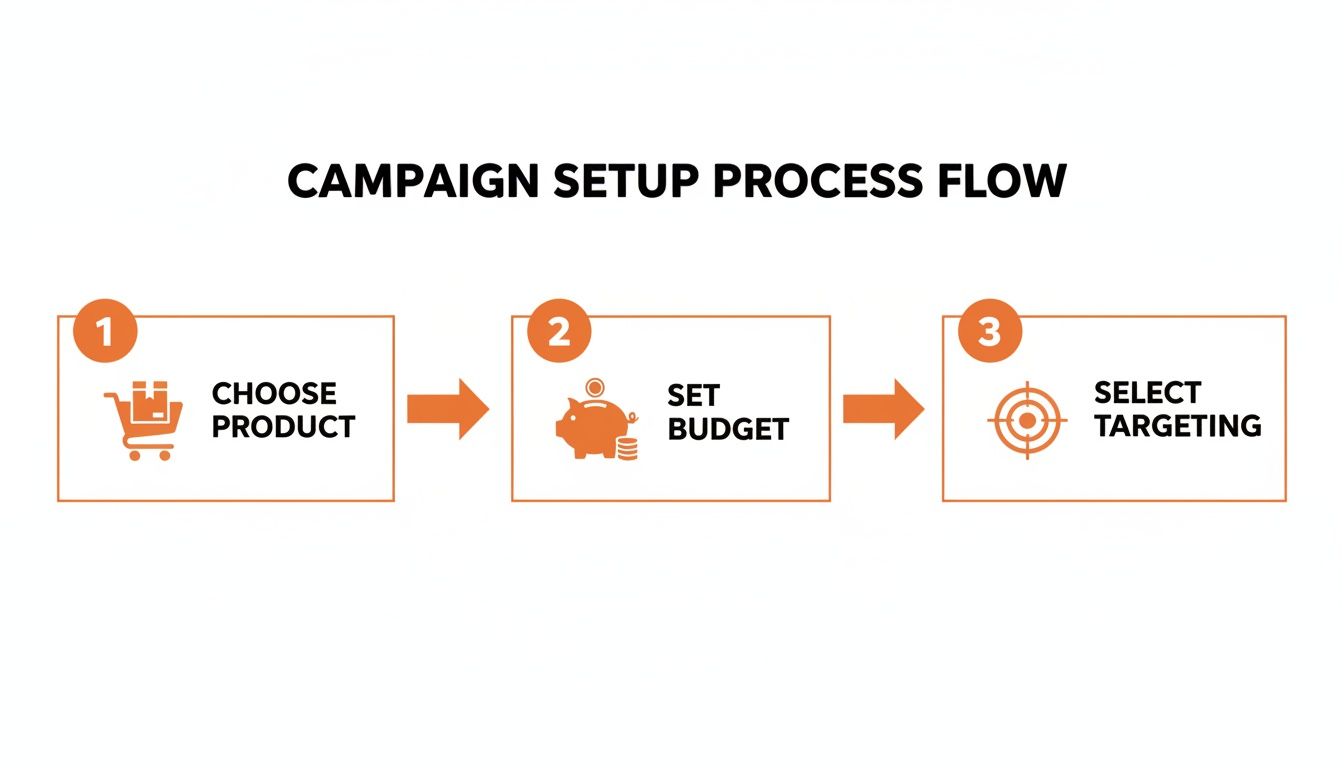
This process shows how these three elements work together. A great product with a poorly timed budget or the wrong targeting will not succeed. They all need to be aligned.
This kind of strategic planning is becoming more important. By 2026, Amazon's ad revenues are projected to reach $69.3 billion globally, which is nearly 40% of all retail ad spending. As competition increases, the Average Cost-Per-Click (CPC) will likely rise, making precise budget control essential for staying profitable.
Optimising Campaigns for Better Performance and ROI

Launching your Amazon PPC campaigns is only the beginning. The real work—which determines whether your ads are profitable or just an expense—is in the ongoing optimization. Effective PPC is not a "set it and forget it" activity; it requires regular adjustments.
Think of it like tuning a car's engine. Your initial setup got the car started. Now, it's time to fine-tune it for the best performance.
The most important tool for this is the Search Term Report. This report shows you the exact phrases shoppers are typing into Amazon before they click on your ad. This information is incredibly valuable.
Turning Data into Action
Reviewing this report is the most critical optimization task. Your goal is to identify what's working so you can invest more in it, and find what's not working so you can stop wasting money.
First, look for the customer search terms that lead to actual sales, not just clicks. These are your successful keywords. You will also find irrelevant search terms that are triggering your ads and wasting your budget. For example, if you sell "leather laptop bags" but your ad shows up for "canvas backpacks," you are paying for clicks that will never convert.
Each of these irrelevant terms should be added to your negative keyword list. This tells Amazon to stop showing your ad for those specific searches, which immediately reduces wasted ad spend and improves your campaign's overall effectiveness.
Your Search Term Report is a guide. It shows you where to invest more and where to cut back, ensuring every pound of your ad budget is working efficiently.
Measuring What Matters Most
To make smart decisions, you need to focus on the right metrics. While clicks and impressions are interesting, they don't determine profitability. Two key performance indicators (KPIs) are most important for measuring the success of your ads.
Advertising Cost of Sale (ACoS): This shows your ad spend as a percentage of the revenue generated from ads. A lower ACoS means your campaigns are more efficient.
Return on Ad Spend (ROAS): This is the inverse of ACoS and shows how much revenue you earn for every pound you spend on advertising. Understanding what is ROAS in digital marketing is essential for determining if your ads are profitable.
Monitoring these metrics tells you if your campaigns are actually making money. This becomes even more important as competition and advertising costs increase. For example, in the growing Indian IT and eCommerce sector, the average cost per click (CPC) for Amazon PPC ads reached $1.12 in 2025. This increase reflects more sellers competing for visibility, making efficient, data-driven management more important than ever.
The PPC and Organic Connection
The insights you gain from your PPC data should not be limited to your ad campaigns. They are valuable for improving your organic product listings, creating a positive cycle where paid ads enhance your free, organic visibility.
Here’s how it works: when you discover a high-converting keyword in your Search Term Report, it's a clear signal that this exact phrase resonates with buyers. You should then incorporate that proven keyword into your product title, bullet points, and description.
This helps your product rank higher organically for a term you already know leads to sales. For brands looking to maximize the value of their data, tools like an AMZ suggestion expander can help uncover more of these valuable long-tail keywords, providing an advantage in both paid and organic search.
Connecting PPC with Organic Content in an AI-Driven World
Paid ads and organic content are not separate things on Amazon; they work together. A great PPC campaign cannot fix a poor product listing, and a perfect listing will struggle without the initial visibility that ads provide. This connection is even more important with the rise of AI shopping assistants like Rufus.
Think of your Amazon PPC ads as a spotlight. You can shine it on your product to attract potential buyers. But if that spotlight reveals a confusing or low-quality product page, those buyers will leave without purchasing.
If you are getting a lot of ad clicks but very few sales, this is a classic sign of this problem. Your ad did its job by bringing the shopper to your page, but your content failed to convince them to buy.
Using PPC as a Diagnostic Tool
Your PPC data can serve as a diagnostic tool, showing you exactly where your organic content is lacking. When you see a specific keyword getting plenty of clicks but no sales, you've identified a problem. It means shoppers expect one thing based on their search, but your product page is delivering something else.
But what, exactly, is the problem? This is where you might need a more precise tool.
For example, a campaign for a "quiet blender for smoothies" might get many clicks but no sales. The issue could be that your product title highlights its power, but your bullet points and A+ Content never mention the noise level—the main concern for that particular shopper.
This is where you can use an AI-driven audit to find the root of the problem. This screenshot from Cosmy shows how an AI analysis can reveal content gaps you might otherwise miss.
The platform can pinpoint where your listing fails to answer the underlying questions that drive shoppers' decisions, turning a general issue ("it's not converting") into a clear, actionable fix.
Creating a Powerful Feedback Loop
This process creates a valuable feedback loop. You use PPC data to identify a problem, then use a content analysis tool to understand and fix the underlying issue with your product listing. Once your listing is properly optimized, your conversion rate should increase.
This offers two direct benefits:
Your Ads Become More Profitable: A higher conversion rate lowers your ACoS and improves your ROAS. Amazon's algorithm also favors ads that convert well, often rewarding them with better placements at a lower cost.
Your Organic Rank Improves: Higher conversion rates are a strong signal to Amazon's A9 algorithm that your product is a good match for customer searches. Over time, this can significantly boost your organic ranking.
By connecting your paid and organic strategies, you stop treating them as separate tasks and start managing them as a single, cohesive system. To learn more about how this works, you can explore the role of AI in SEO and how it helps align content with what both shoppers and algorithms want. This integrated approach is no longer just a best practice; it is essential for success in an increasingly complex and AI-driven marketplace.
Your Top Amazon PPC Questions, Answered
Even experienced brands have questions when managing Amazon PPC. Here are some of the most common ones, with straightforward, practical answers.
How Much Should I Spend on Amazon Ads?
There is no single "right" amount, but a good starting point for a new product is to allocate 5-10% of your total revenue to ad spend. For a major product launch, you might increase this to 15-20% to gain initial momentum.
However, the best answer depends on your profit margins. If you make £10 profit on an item, you have more flexibility than if you only make £2. The smart approach is to start with a small budget, monitor your ACoS and ROAS closely, and increase your spending only when you see profitable results.
How Long Does It Take for PPC to Actually Work?
You will start seeing data like impressions and clicks almost immediately, usually within 24-48 hours. But seeing data is not the same as the campaign "working." A working campaign is a profitable one, and that takes time. Plan to let your campaign run for at least 2-4 weeks to gather enough performance data to make informed decisions.
Think of it as teaching Amazon's algorithm about your product. It needs time to learn which shoppers are most likely to buy, and you need time to identify winning keywords and remove those that are wasting money. Stopping a campaign after just a few days is one of the biggest mistakes you can make.
What Is a Good ACoS for Amazon PPC?
A "good" ACoS (Advertising Cost of Sale) depends entirely on your profit margin. The most important number is your breakeven ACoS, which is your profit margin before ad spend. If your profit margin is 30%, your breakeven ACoS is 30%. Any ACoS below that means you are making a profit on your ad sales.
Most established brands aim for an ACoS between 15% and 25%. However, for a new product launch, a higher ACoS is often necessary. You might even go above your breakeven point for a short time. In this phase, you're paying not just for sales, but for data, visibility, and the initial sales velocity that helps improve your organic rank.
Can I Run Amazon Ads with a Small Budget?
Yes, absolutely. In fact, starting with a small budget is often the smartest approach. With a daily budget of just £20-£50, you can run a focused campaign on one or two of your best products.
With a small budget, the goal is not to dominate the market but to gather data efficiently. You can identify your most profitable keywords and prove that your strategy works before investing more money. Once you have a profitable campaign, you can scale it with confidence.
Your PPC ads can tell you what's not working, but they can't tell you why your content isn't converting. Cosmy is built to diagnose those gaps, analysing your content against what Amazon's AI search is actually looking for. Turn guesswork into a clear action plan by starting your free content audit at https://cosmy.ai.